🔥 Graphene Keychain App Major Update: Unified Wallet History Across All Chains!
🔥 Graphene Keychain App Major Update: Unified Wallet History Across All Chains!
We're thrilled to announce a complete overhaul of the Wallet History feature in our multichain App. This is one of the biggest upgrades we've shipped — bringing a unified, consistent experience across Steem, Hive, Blurt, and TIME networks.
🎯 What Changed?
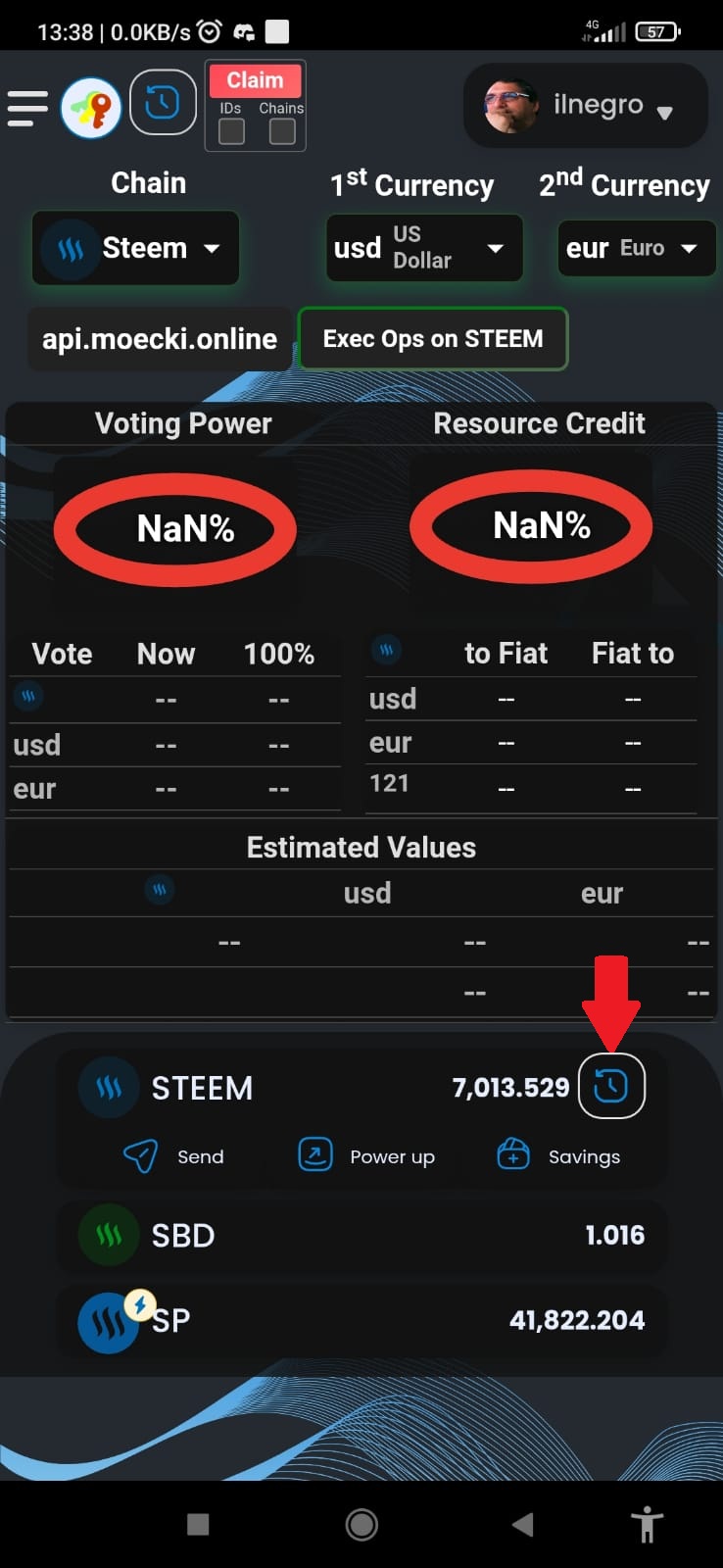
One History, All Chains
Until now, the wallet history relied on SDS that only can be used for Steem, we've completely removed that dependency and replaced it with direct RPC calls to each blockchain's API.
What does this mean for you?
- ✅ Steem — now works reliably with direct
account_history_apicalls
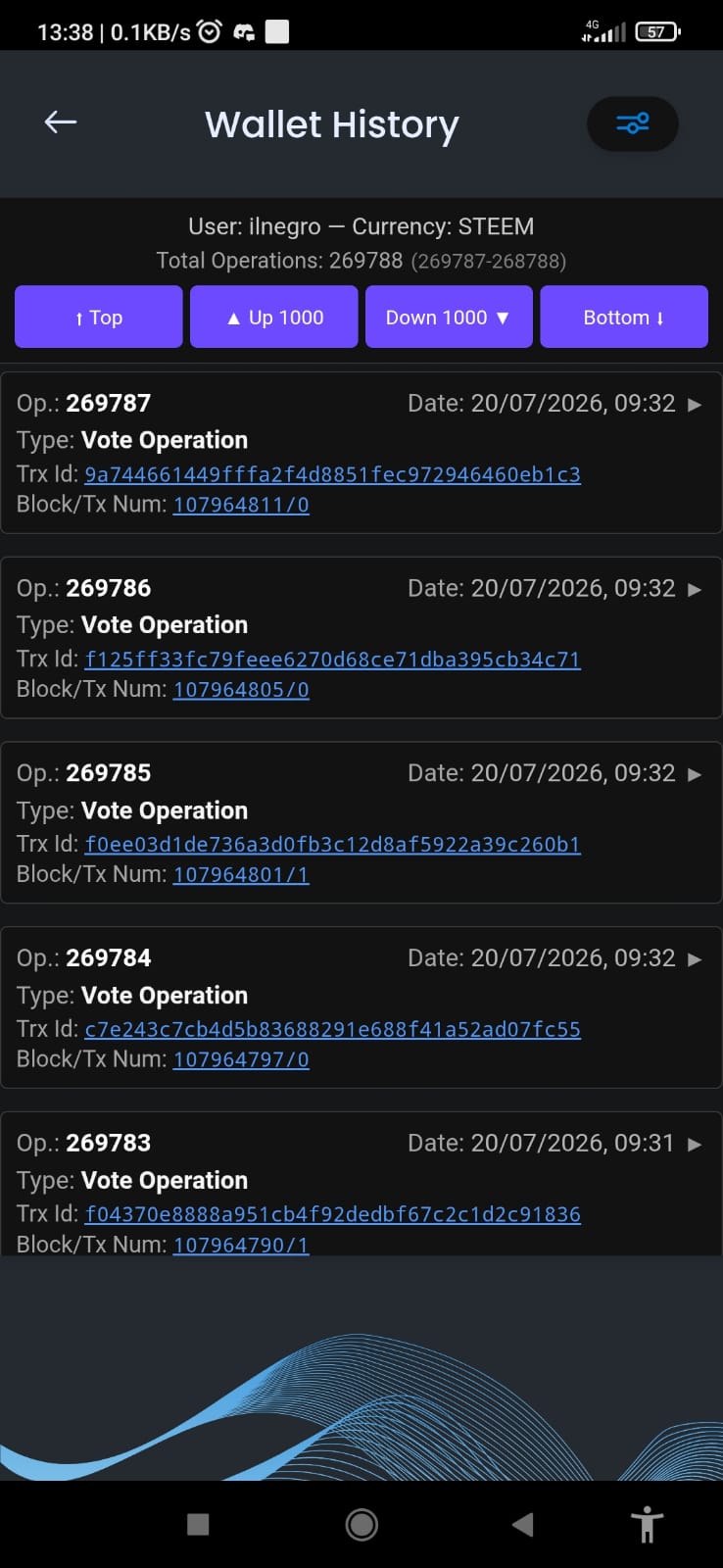
- ✅ Hive — same unified interface, no more inconsistencies
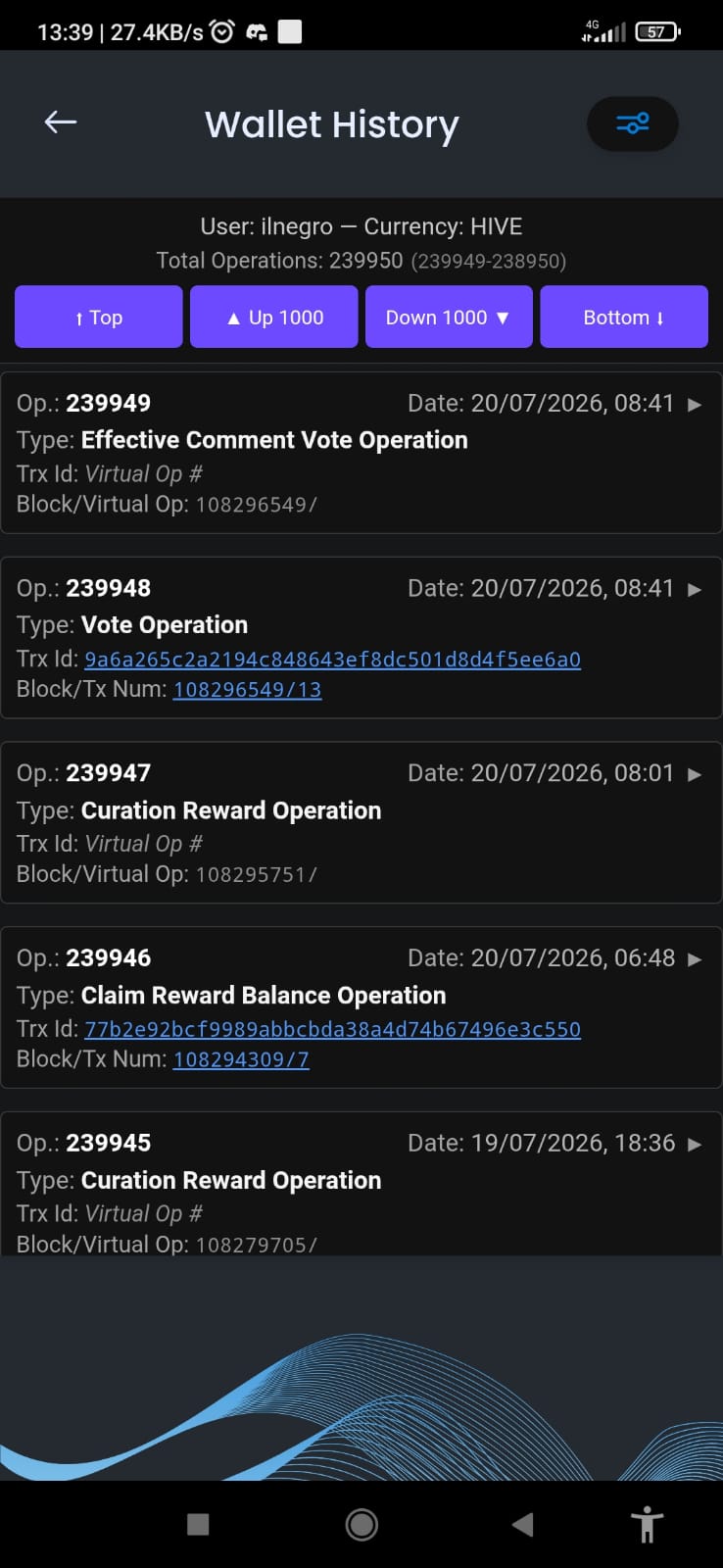
- ✅ Blurt — full support with proper pagination
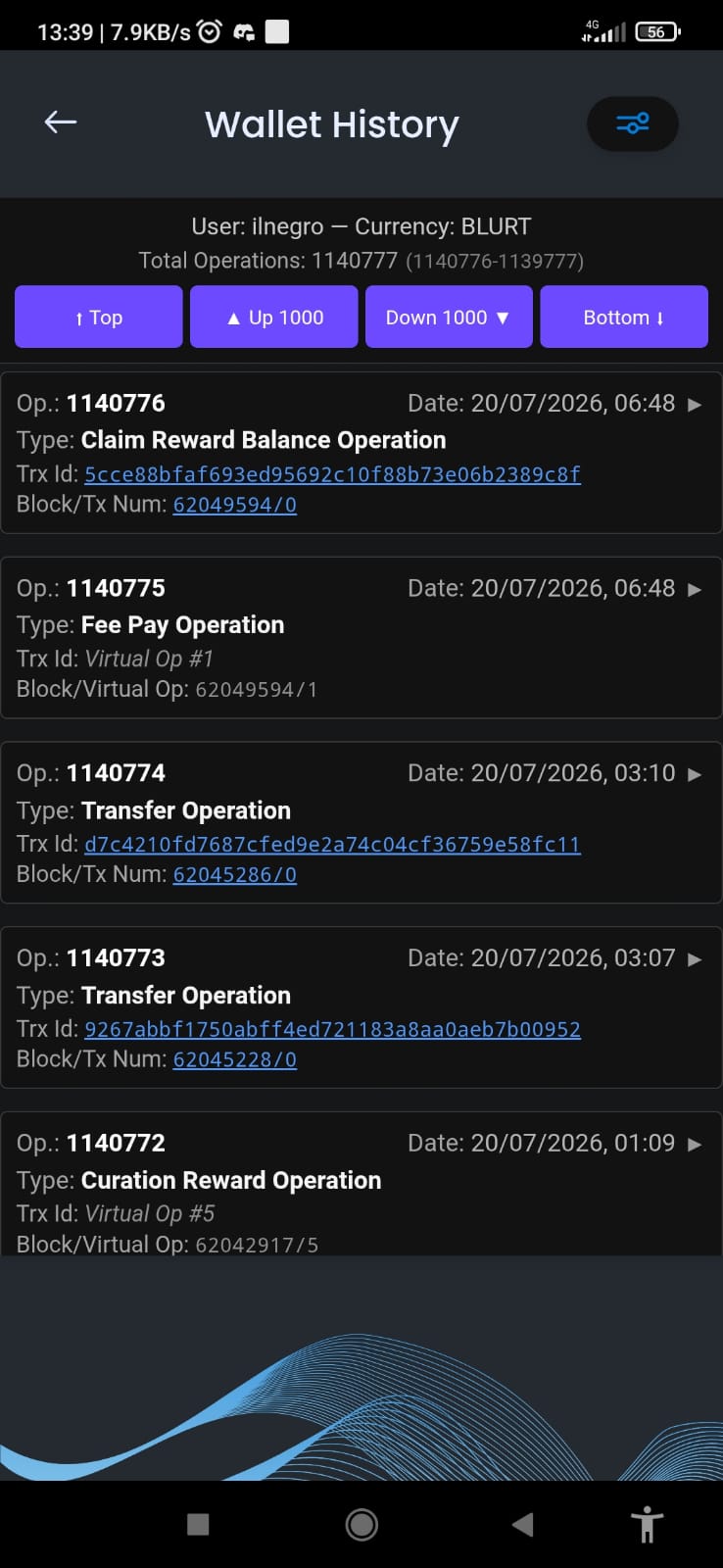
- ✅ TIME — custom API endpoint that mirrors the standard format, seamless integration
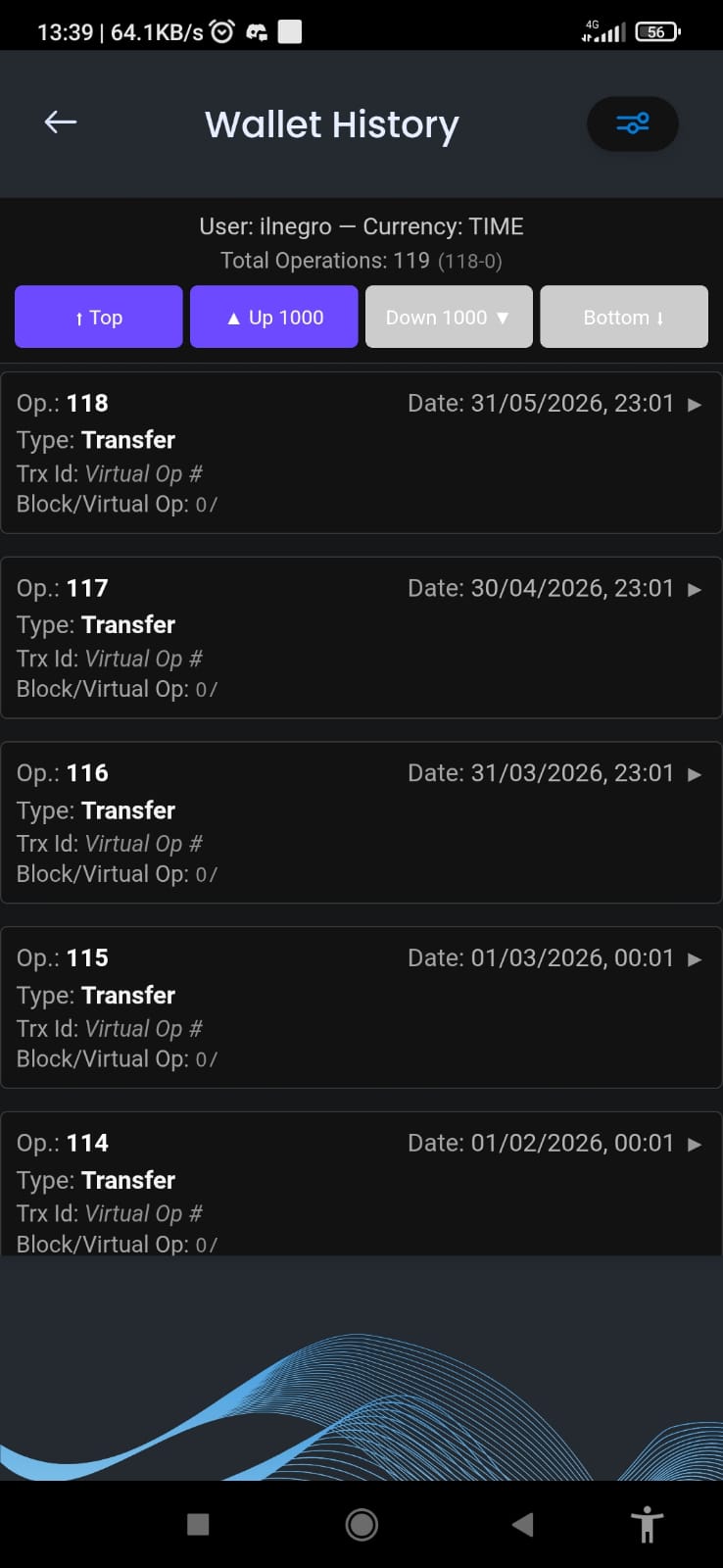
No matter which chain you're browsing, the history looks and behaves the same way.
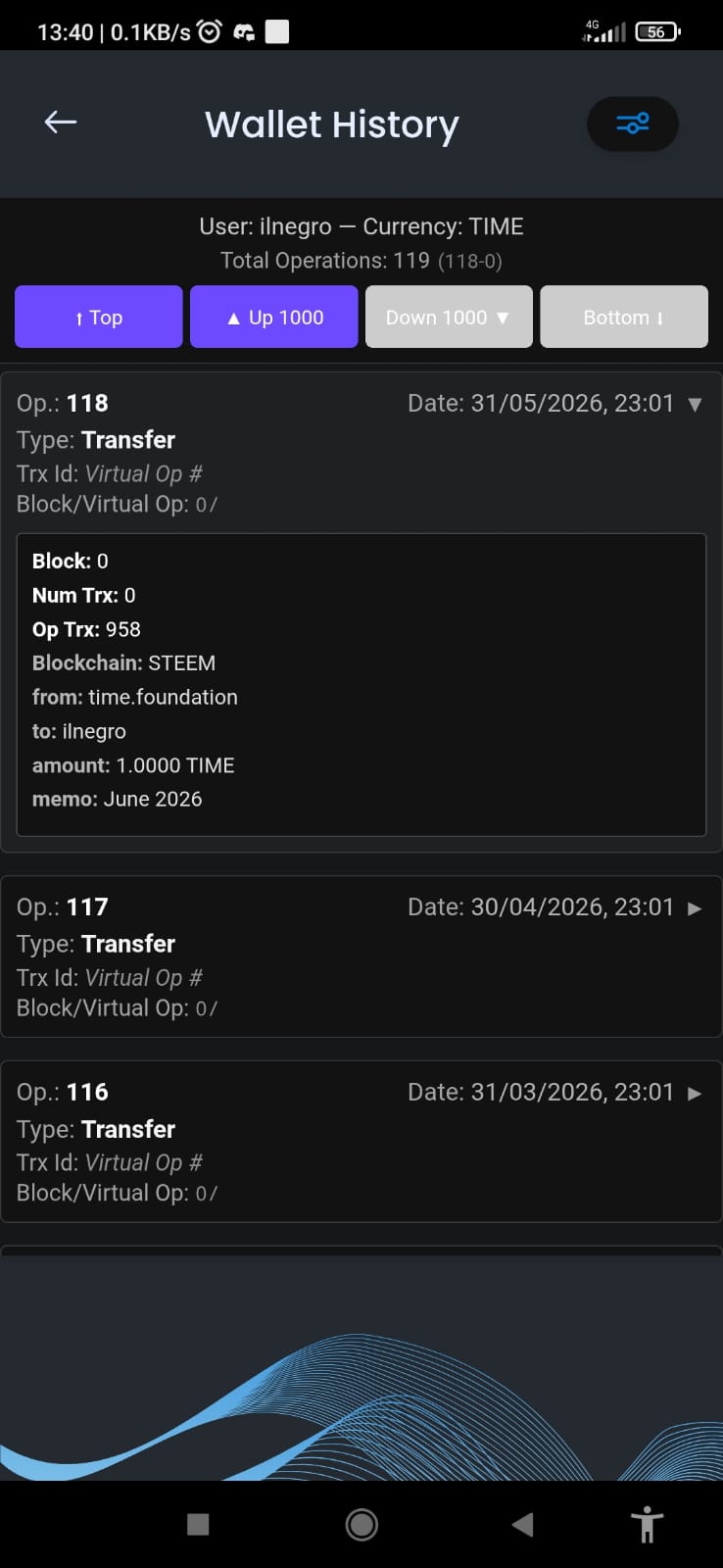
Navigation Buttons
We added intuitive navigation controls at the top of the history page:
- ⬆ Top — Jump to the most recent operations
- ▲ Up 1000 — Load the next batch towards newer ops
- ▼ Down 1000 — Load the next batch towards older ops
- ⬇ Bottom — Jump to the very first operations ever
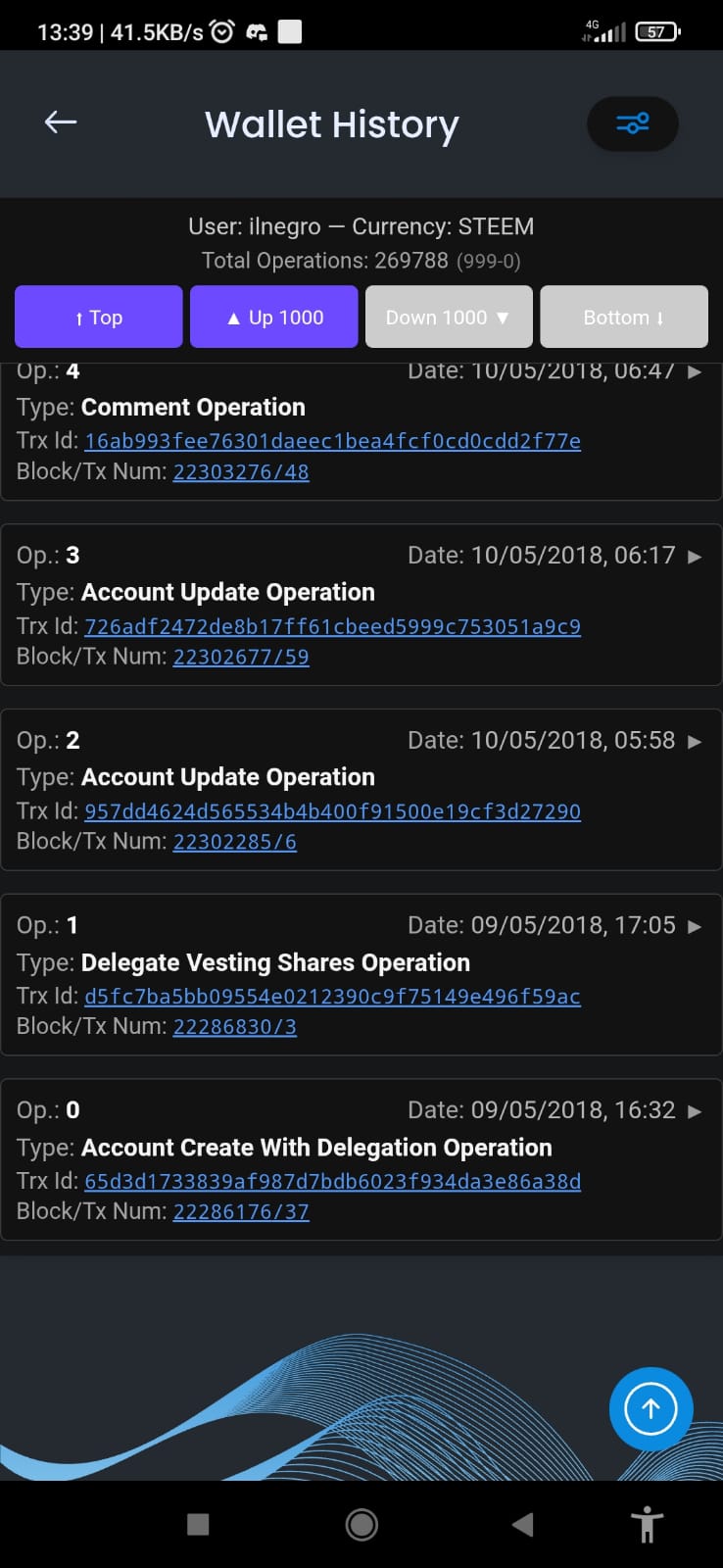
Plus, a real-time indicator shows exactly which range you're viewing:
User: ilnegro — Currency: STEEM
Total Operations: 269404 (269403-268404)
Details Modal
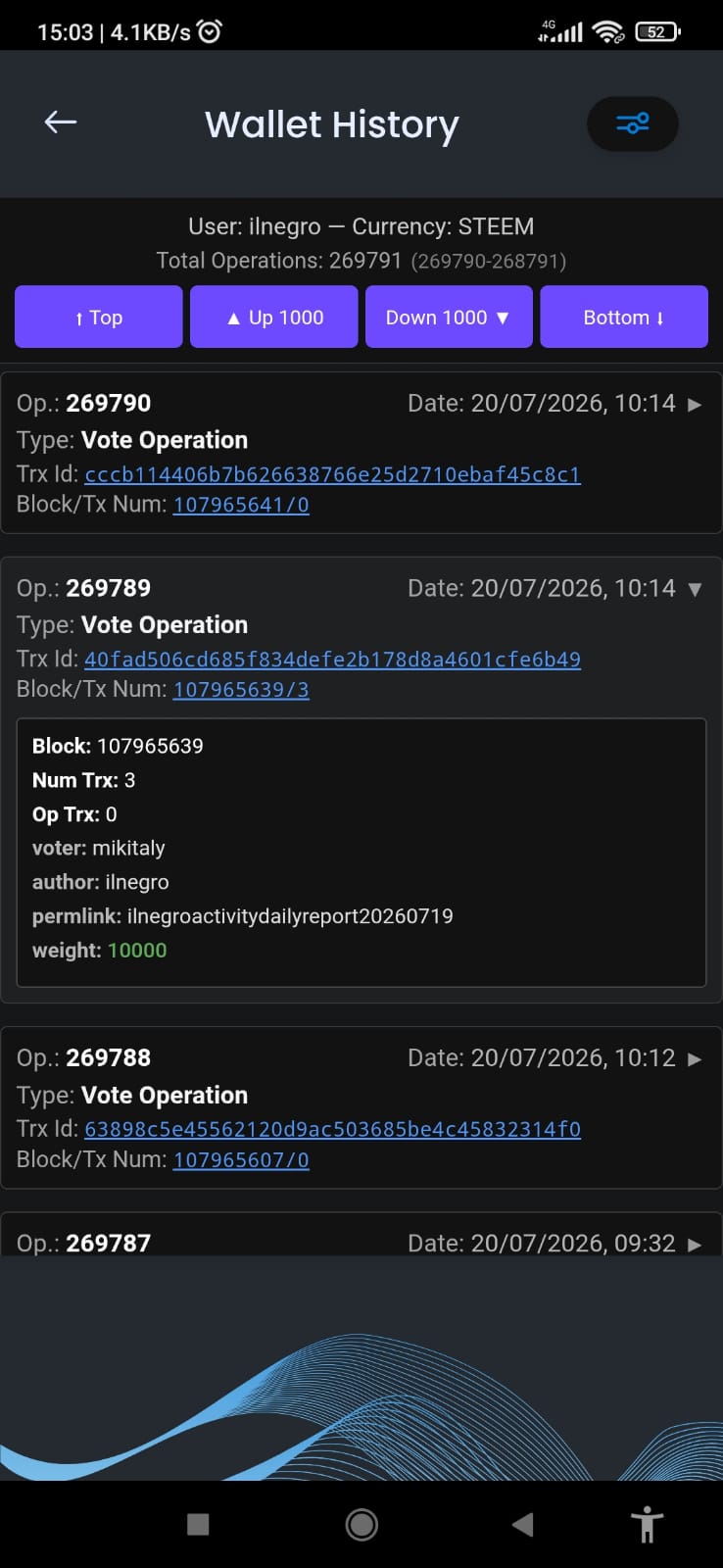
🔗 Interactive Transaction & Block Details
This is where things get exciting. Every transaction now has clickable links that open detailed modals — no more jumping to external explorers.
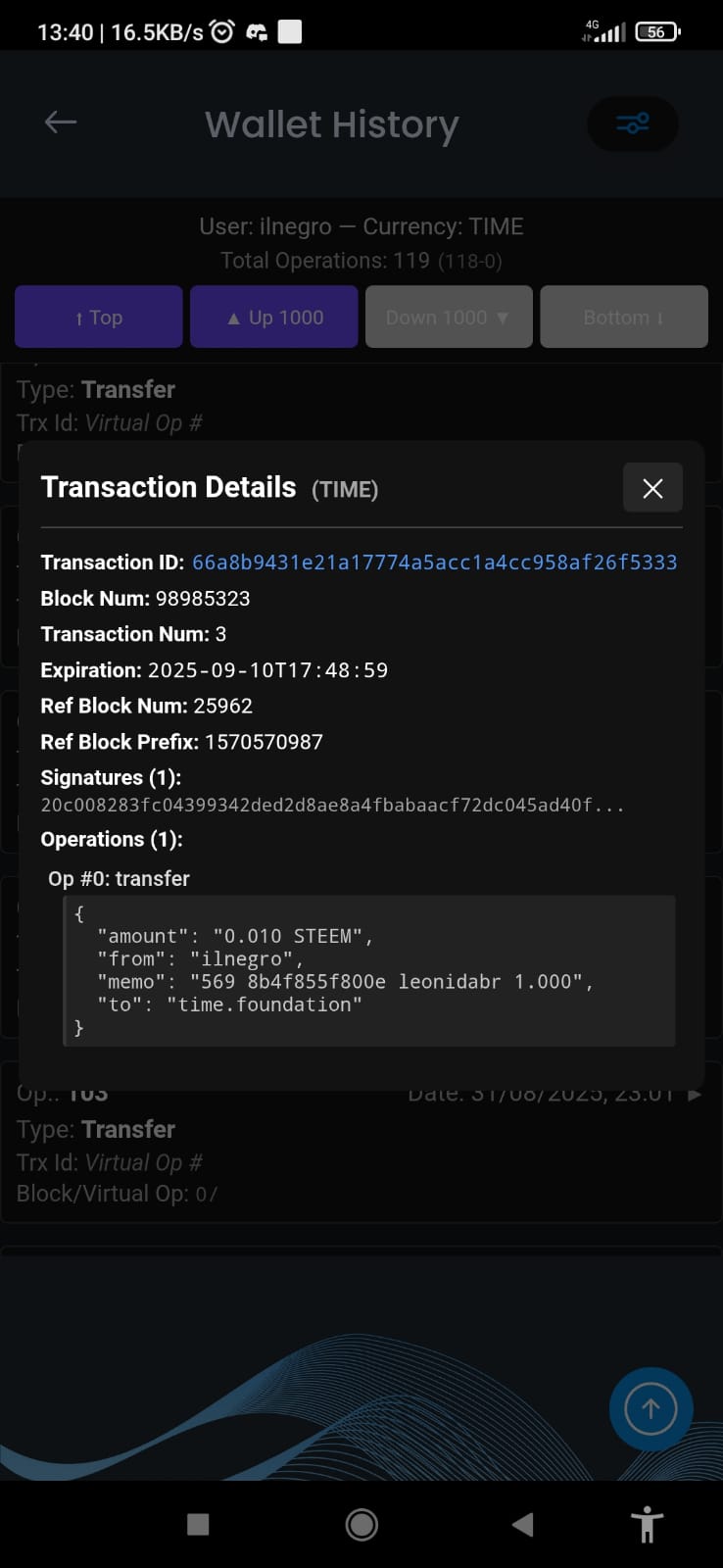
Transaction ID Modal
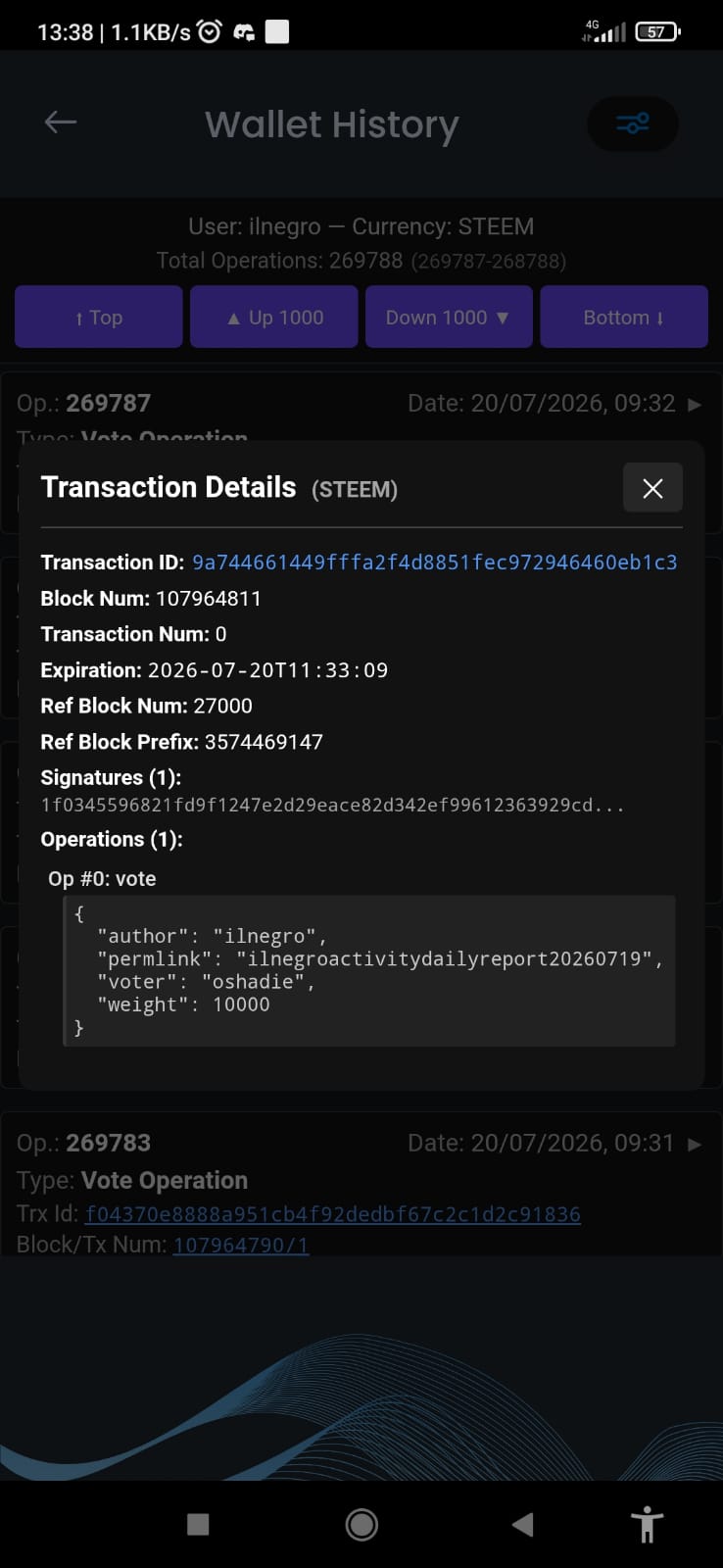
Click any Trx ID to see the full transaction breakdown fetched live from the blockchain:
- Transaction ID & Block Number
- Expiration timestamp
- Ref Block Num & Prefix
- All signatures
- Complete operation payload (formatted JSON with syntax highlighting)
Block/Tx Number Modal
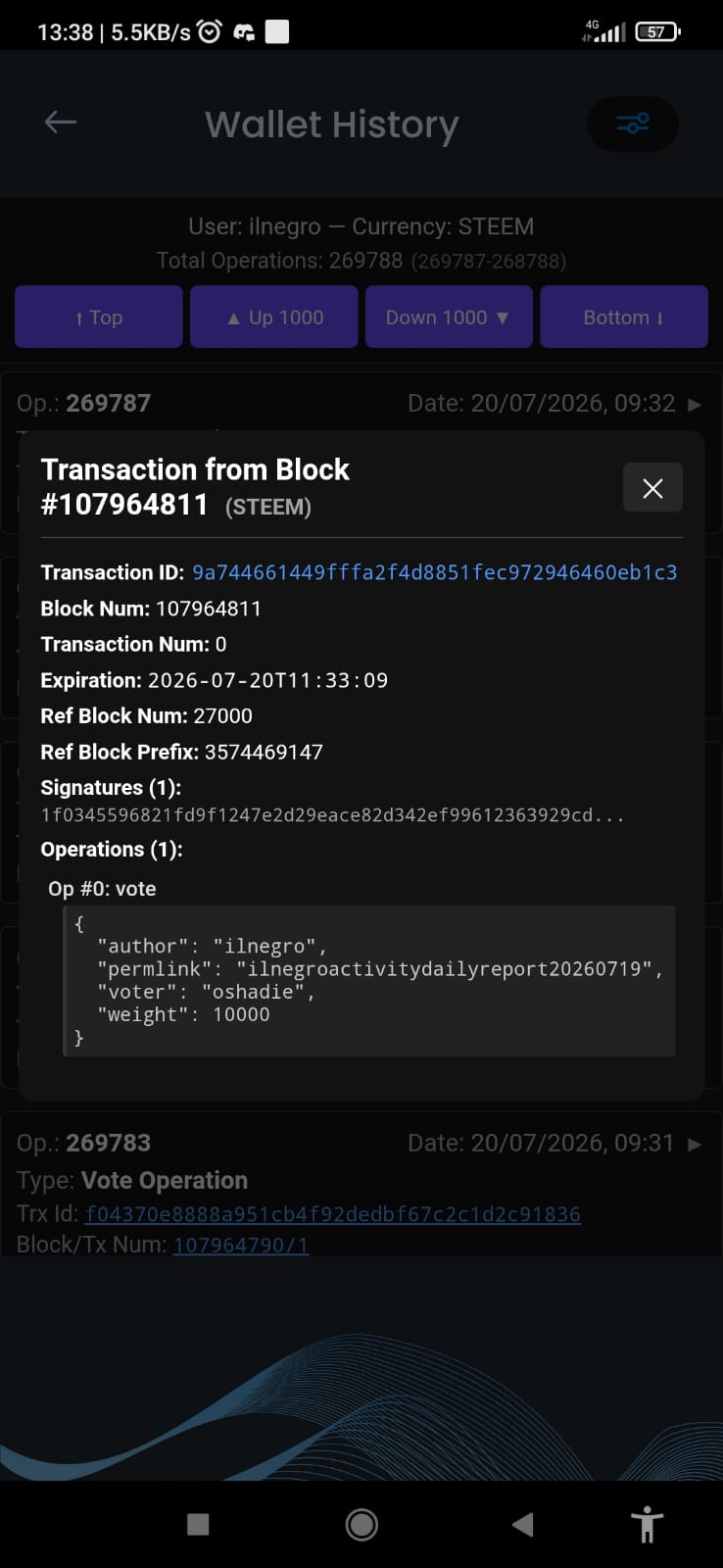
Click the Block/Tx Num to see the transaction as it exists inside its block:
- Calls
condenser_api.get_blockdirectly - Filters the result to show only your specific transaction
- Displays block context, witness, and all transaction metadata
👻 Virtual Operations — Handled Properly
Virtual operations (curation rewards, author rewards, fill orders, etc.) have always been tricky. They don't have a real on-chain transaction — the trx_id is all zeros and trx_in_block shows 4294967295 (MAX_UINT32, meaning "not applicable").
Instead of showing broken links or error messages, the app now automatically detects virtual operations and displays them gracefully:
- 📝 Trx Id shows: "Virtual Op #13" (with the virtual operation index)
- 📝 Block shows: "Block/Virtual Op: 107957767/13"
- 📝 Full operation details are available in the expandable section
🔍 Smart Operation Filtering
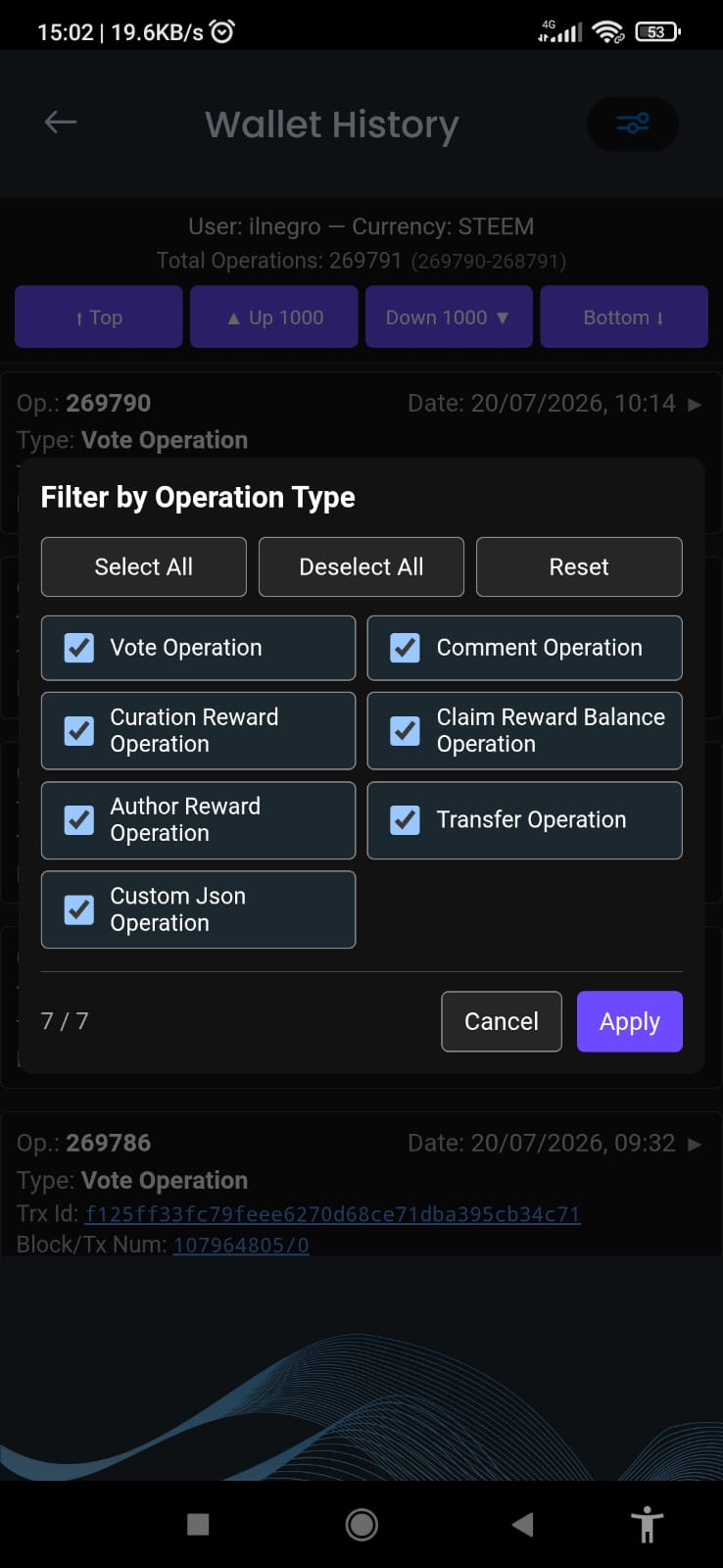
The filter panel got a major upgrade:
- Filter by operation type — Select exactly which operation types you want to see
- New types auto-selected — When loading a new batch, if new operation types appear, they're automatically added as selected (you won't miss anything)
- Persistent deselection — If you click "Deselect All", it stays deselected until you explicitly change it
- Live counter — Shows
selected / totaltypes in real-time
🙏 Acknowledgements
A big thank you to everyone who tested early builds and reported issues. Your feedback was essential in catching the subtle chain-specific quirks that made this rewrite necessary.
📢 What's Next?
We're already working on the next batch of improvements based on your suggestions. Want to see something specific? Drop your ideas below! 👇
Download / Update Graphene Keychain and try it yourself!
Want to use the GrapheneKeychain App from your Windows or Apple Desktop?
Thank you for being part of this amazing decentralized ecosystem! Together we build the future. 🌍