ACHIEVEMENT NO.2 abidafridi11. BASICS SECURITY ON STEEMIT
Introduction
Greetings to the Steemit community! Today, I am pleased to share my completion of Achievement 2, which focuses on understanding fundamental security practices for safeguarding one’s Steemit account. This task emphasizes the critical importance of managing keys responsibly and securely. Below, I address the required questions in details.

##Question 1: Have you retrieved all your keys on Steemit?
##Answer:
Yes, I have successfully retrieved all my Steemit keys in the form of a securely stored PDF file.
##Question 2: Do you know each key’s functions and restrictions?
##Answer:
I understand the distinct roles and limitations of each key:
##1. Posting Key
Functions: Used for creating posts, commenting, voting, following/unfollowing accounts, and resteeming content.
Restrictions: Cannot perform financial transactions or alter account settings.
##2. Active Key
Functions: Enables transferring funds, withdrawing balances, converting STEEM/SBD, and powering up/down STEEM.
Restrictions: Does not grant access to change account keys or recover the account.
##3. Owner Key
Functions: The highest-authority key, allowing modification of all other keys and account recovery.
Restrictions: Must be stored offline and used sparingly due to its high-risk nature.
##4. Memo Key
Functions: Encrypts and decrypts memos during fund transfers to enhance privacy.
Restrictions: Limited to memo-related actions only.
##Question 3: How do you plan to keep your master password secure?
##Answer:
I prioritize security through a multi-layered approach:
Storing keys in password-protected, encrypted cloud storage (e.g., Google Drive).
Maintaining physical backups via a printed copy kept in a secure location.
Saving keys on an encrypted SSD and a dedicated USB drive, both stored offline.
##Question 4: Do you know how to transfer STEEM tokens to another account?
##Answer:
Yes. Yes, i know how to transfer steem to another waller.
below are the steps:
First we need to open our STEEM Wallet and then,
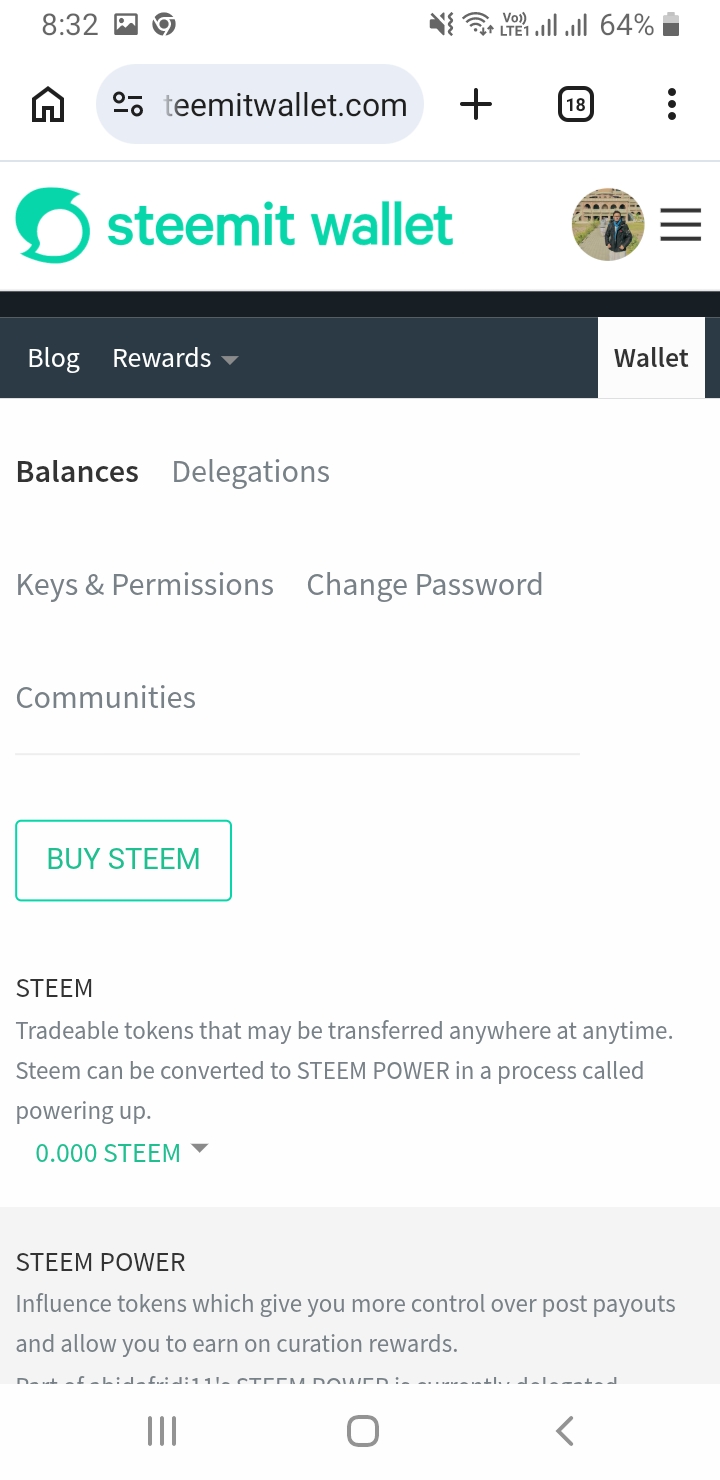
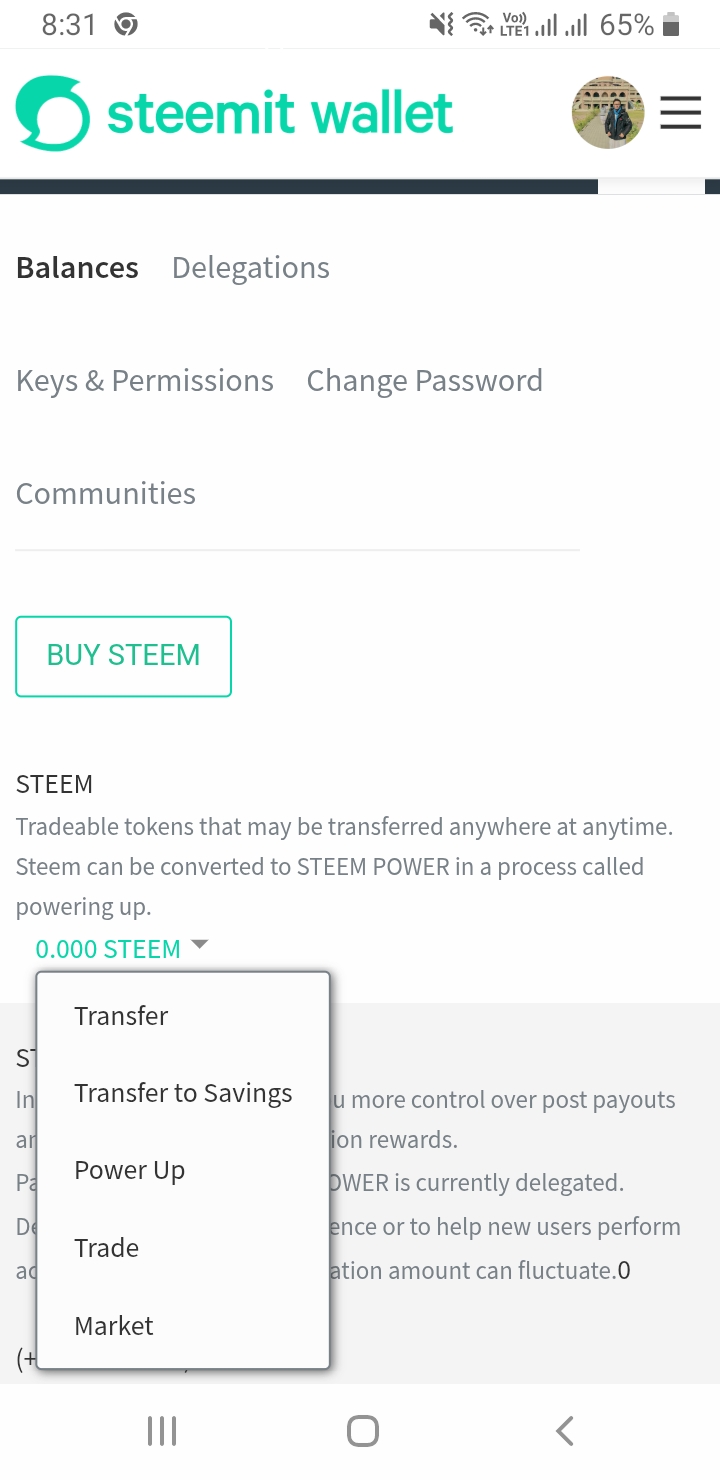
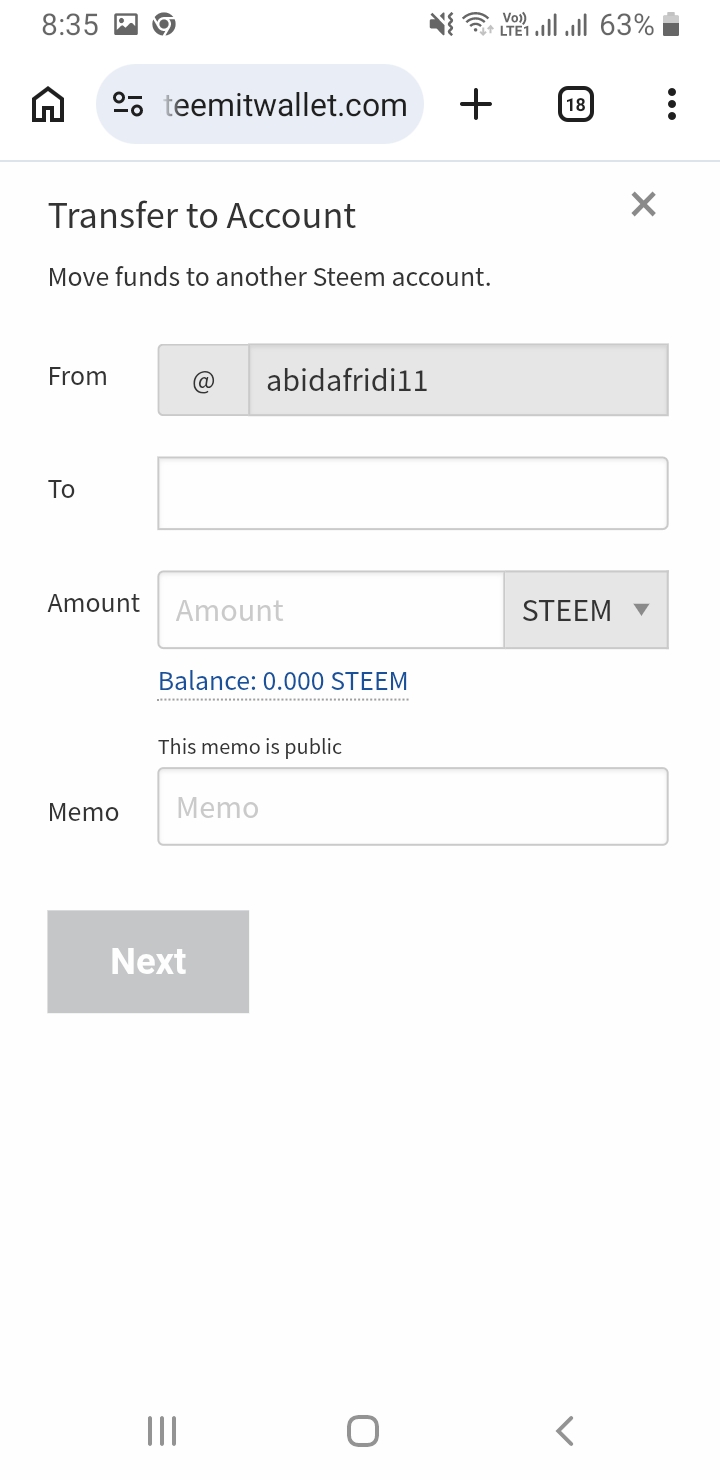
We need to click on DROP DOWN button,then click on Transfer, Here we put an account address and the amount how much we want to transfer to the desirable account.
##Question 5: Do you know how to power up STEEM?
##Answer:
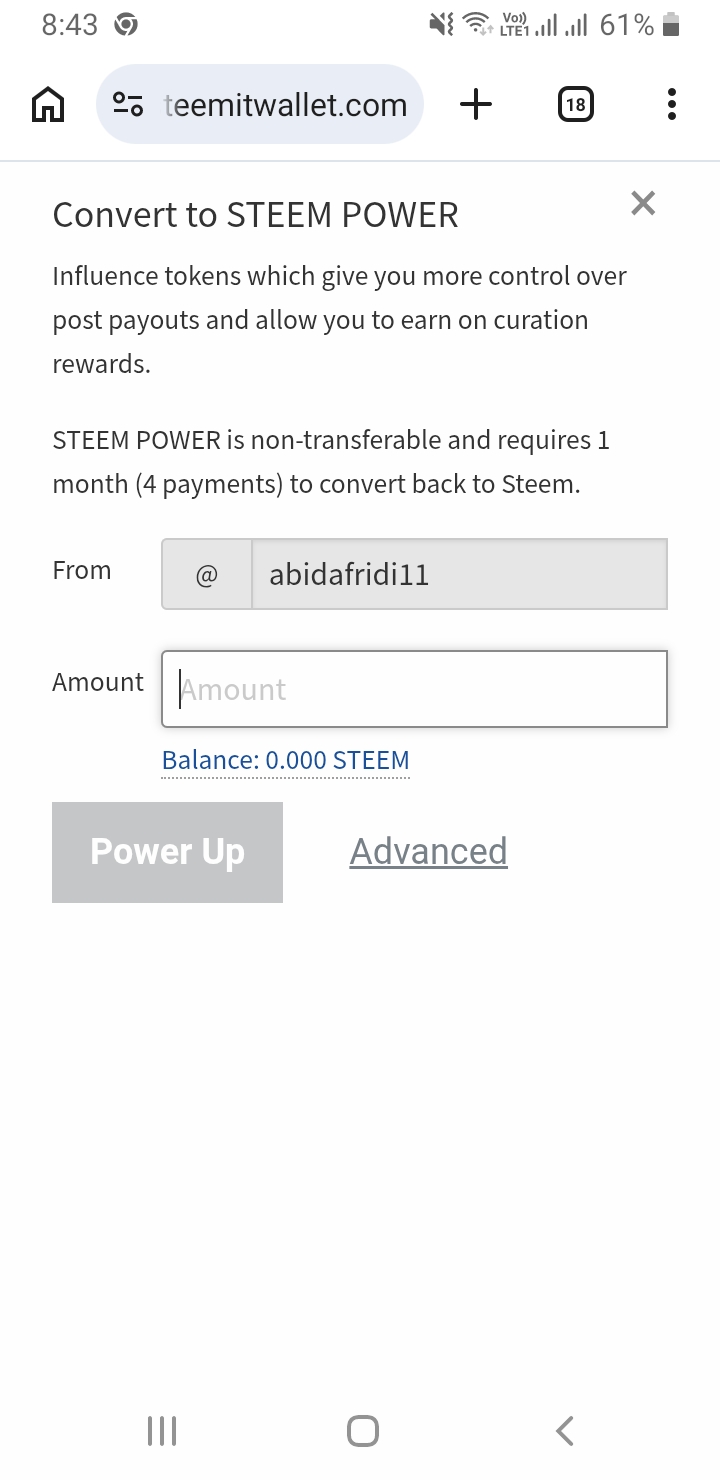
Yes, it is too easy to POWER UP our STEEM
1st STEP:
We need to go and open our wallet,
And then we click on POWER UP Section,and select the amounts we want to POWER UP.