Create Steem Account on SteemX - SteemX Development Updates.
Hi @everyone
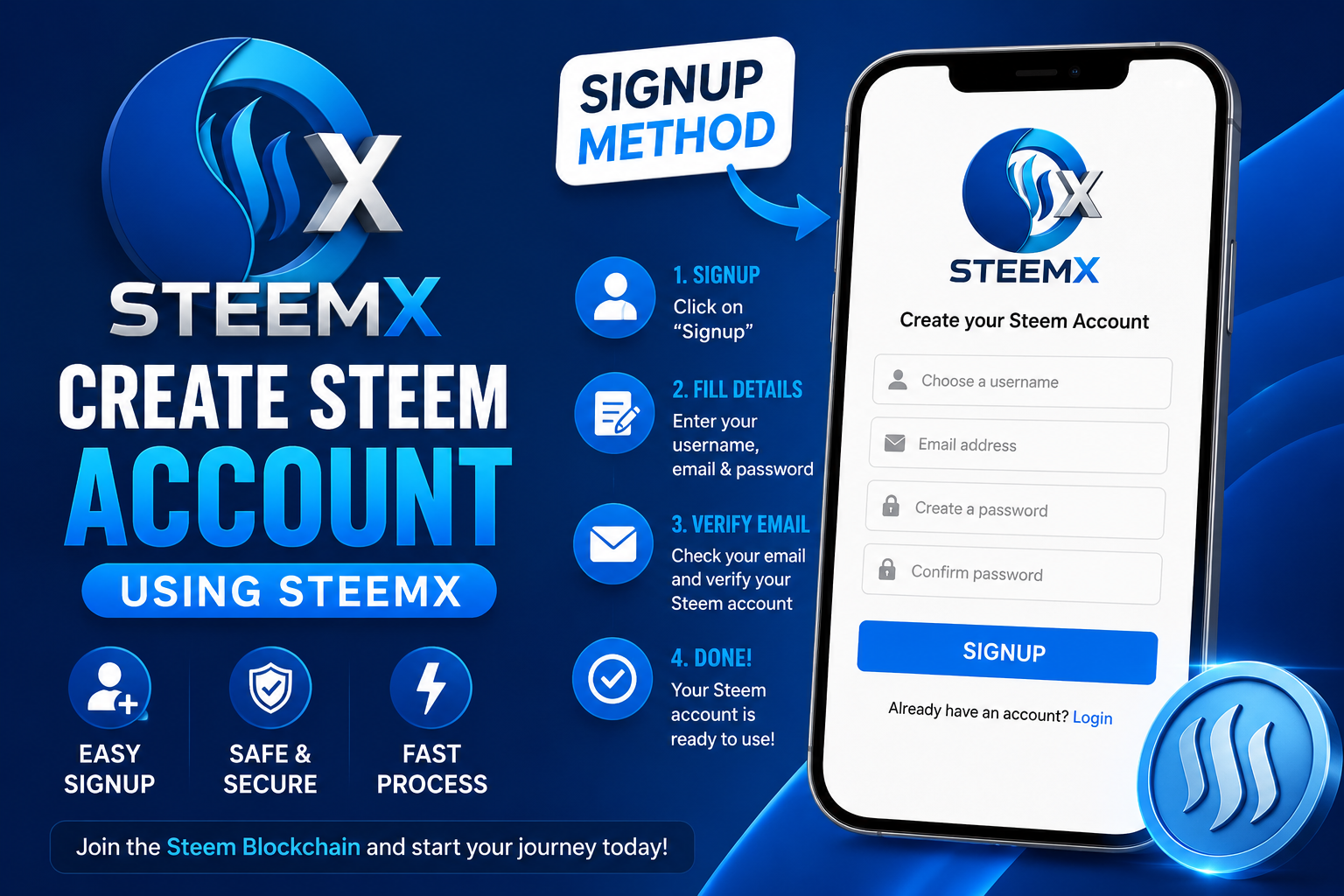
On SteemX Creating an account takes about two minutes. You only need a username and an email address. That is all.
In this post I will show you two things in simple steps:
- How to create your new Steem account on SteemX.
- How to log in after your account is ready.
Part 1: Create Your Account
- Open SteemX and click "Sign up"

- Click the Sign up button. A small modal will open. It says "Create your Steem account".
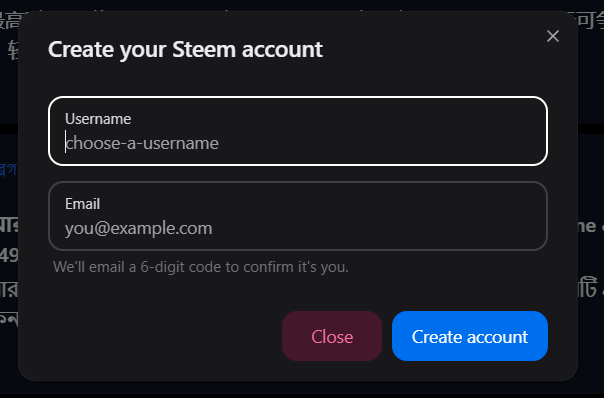
- Type the username you want. This will be your name on Steem forever, so pick it carefully. You cannot change it later. Use a real email that you can open right now. SteemX will send a code to this email to check that you are a real person.
Your username must follow the Steem rules:
- It must be 3 to 16 letters long.
- Use only small letters, numbers, and dashes (like
my-name-99). - It must start with a letter.
- It must end with a letter or a number, not a dash.
- You cannot use two dashes together (
--).
Do not worry about remembering all this. If you type something wrong, SteemX will show you a red message right away and tell you what to fix.
- Get the code from your email
SteemX will send you an email with a 6-digit code. Enter the code and finish
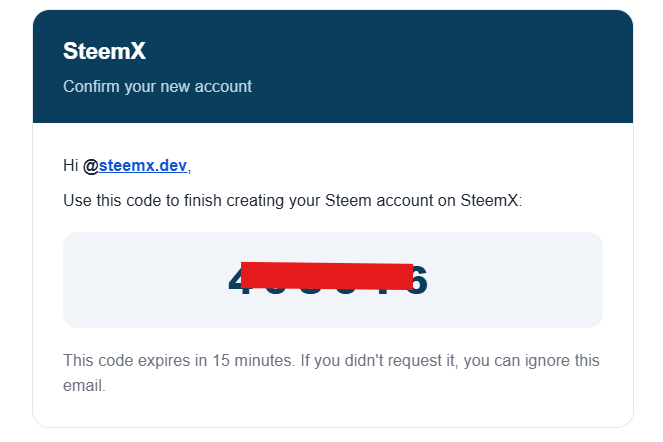
Open your email and find it. If you do not see it in your inbox, please check your spam or junk folder. Sometimes new emails go there. The code works for 15 minutes only. After that it stops working. If the email does not come, click the "Resend code" link in the popup to get a new one.
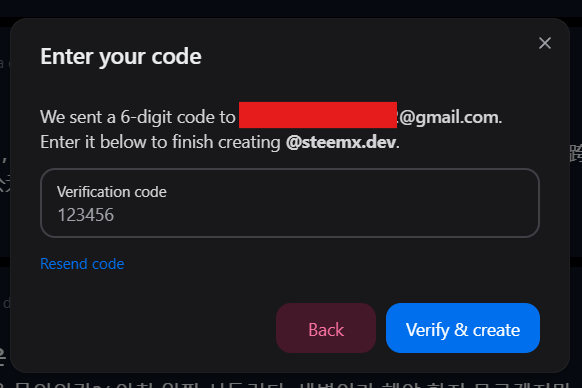
Now wait a few seconds. SteemX is creating your account on the Steem blockchain right now
- SAVE YOUR MASTER PASSWORD (very important!)
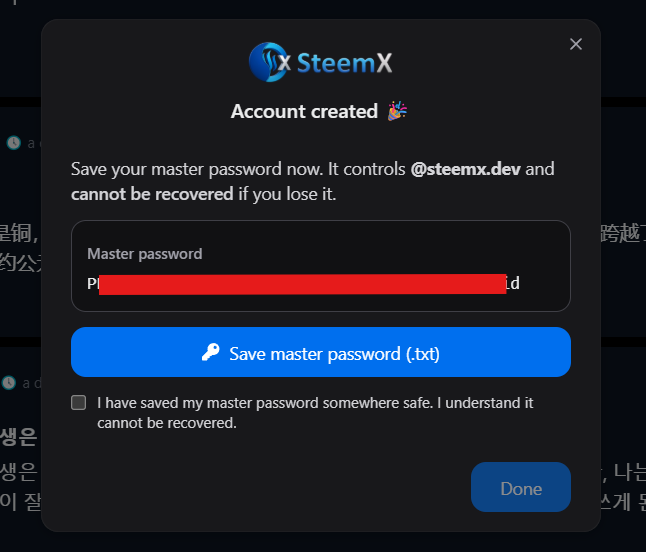
When your account is ready, you will see a green message: "Account created 🎉". On this screen you will see a long password. This is your master password. Please read this part slowly. This is the most important step in the whole post.
This password is the key to your account. Anyone who has it owns your account and your money. There is no "forgot password" button on the blockchain. Nobody can give it back to you. Not SteemX, not Steemit, not anyone.. SteemX shows it to you one time only. It is never saved on the website
So do this now, before you close the popup:
- Click the button "Save master password (.txt)". A small text file will be downloaded to your computer.
- Copy that file to a safe place, or write it on paper and keep it in a drawer.
- Do not keep it only in your email or only in a chat message.
- Never show it to anybody. Nobody from SteemX will ever ask you for it.
When you have saved it, tick the small box that says "I have saved my master password somewhere safe", then click Done.
Congratulations. You now own a Steem account. 🎉
Part 2: How to Log In
Here is the part that confuses many new users, so let me say it very clearly:
You do not log in with your master password.
The master password is like the master key of a big building. You do not carry it in your pocket every day. Instead, you use it once to get the smaller keys, and then you use a small key daily.
Steem gives you 4 keys, and each one has a different job:
| Key | What it is for |
|---|---|
| Posting key | Daily work. like post, comment, vote, follow. This is the one you use to log in. |
| Active key | For Money. transfers, power up, trades, witness vote etc |
| Owner key | Changing your keys and recovering your account. Keep it offline. |
| Memo key | Reading and writing private messages in transfers. |
So your first job is to get these keys.
- Click the Login button at the top of SteemX.

- First time only: use your master password to get your keys
Type your username (without the @), and in the second box paste your master password from the text file you saved. Click Login.
Now you will see a new screen called "Save your Steem keys". On this screen you can see all 4 of your keys.
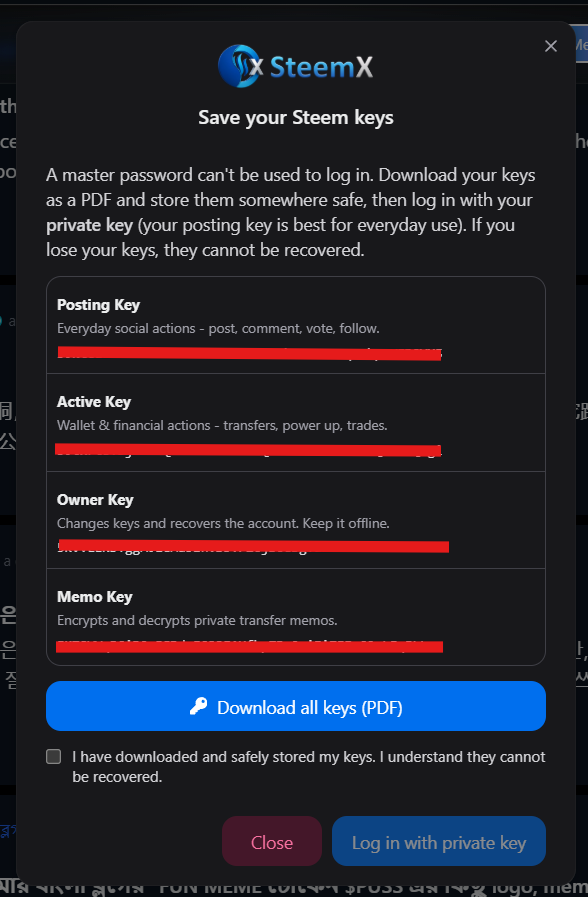
Click "Download all keys (PDF)". A nice PDF file will be saved to your computer with all your keys inside. Keep this PDF as safe as your master password.
Then tick the box "I have downloaded and safely stored my keys" and click "Log in with private key".
- Log in with your posting key
Now you are back at the login box. In the first box, type your username. In the second box, paste your posting private key. You will find it in the PDF you just downloaded, in the blue box named Posting Key.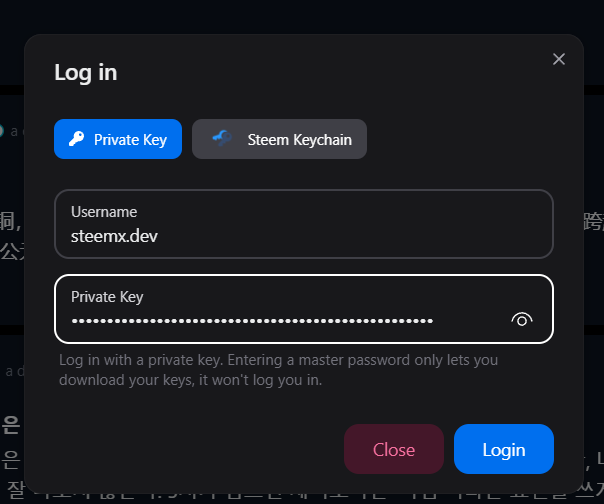
Click Login. You are in. You can now post, comment, vote, and follow.
From today, this is your normal way to log in: username + posting key. That is all you need. Keep the master password and the owner key locked away and do not use them daily.
Small Safety Rules to Remember
- Never share your keys. No admin, no support person, and no "SteemX team member" will ever ask for them. Anyone who asks is trying to steal your account.
- Use the posting key for daily login. If somebody ever steals it, they can post as you, but they cannot touch your money.
- Keep the owner key offline. Best on paper, not on your computer.
- Keep two copies of your keys in two different places. Computers break, and phones get lost.
- Check the website address before you type a key. Only type your keys on the real SteemX site.
Welcome to SteemX.
If any step did not work for you, write it in the comments below and I will help you.
cc. @steemchiller @rme
@steemx.org
Hello steemx.org! 📸 If you love taking photos, check out WelSnap – the photo app on the Steem blockchain. You share only real, live-captured moments, control exactly how visible your location is, and can also save pictures privately just for yourself. Every photo you upload gets a vote from me – I check in every day. And every uploaded photo automatically enters our monthly raffle: one photo is drawn from all submissions and wins 100 STEEM. Find more information about the app here: https://welako.app/@greece-lover/welsnap-the-photo-app-that-shares-real-moments-and-belongs-to-you-20260720164757 Curious? 👉 welako.app/snap
For several months now, I have been active as a Witness on Steem — currently ranked #42, with my own server and backup. My goal is to work together with others to improve the system so that the price rises sustainably and we all have a future on this blockchain. If you like my commitment, I would be happy to receive your Witness vote.
Vote with one click ↗
If you don't want to receive more comments like this, you can opt out here: https://welako.app/welpromo/optout?token=7eed6bf67b4cf7a5d161a36211c8e7b6731c846b4f82efc756c288fcda9e03ea&u=steemx.org
Not interested? Click the link above or simply reply STOP under this comment.
Note: If you don't reply to this comment, it will be automatically removed within a week.