How to add Pictures and GIFs to Steemit posts
If you are new to Steemit, Welcome!!! In this post I’ll show you how to add pictures and GIFs.
• Create a folder on your desktop to store your pictures /GIFs
• Got to http://imgur.com/ and click new post
• Next drag your picture, GIF over to the box.

• Move your mouse cursors over the picture / GIF and copy the URL.

• When you are ready to post, paste the URL and add .gif for GIFs and .jpg for pictures like I have in the box below. I hope this helps!
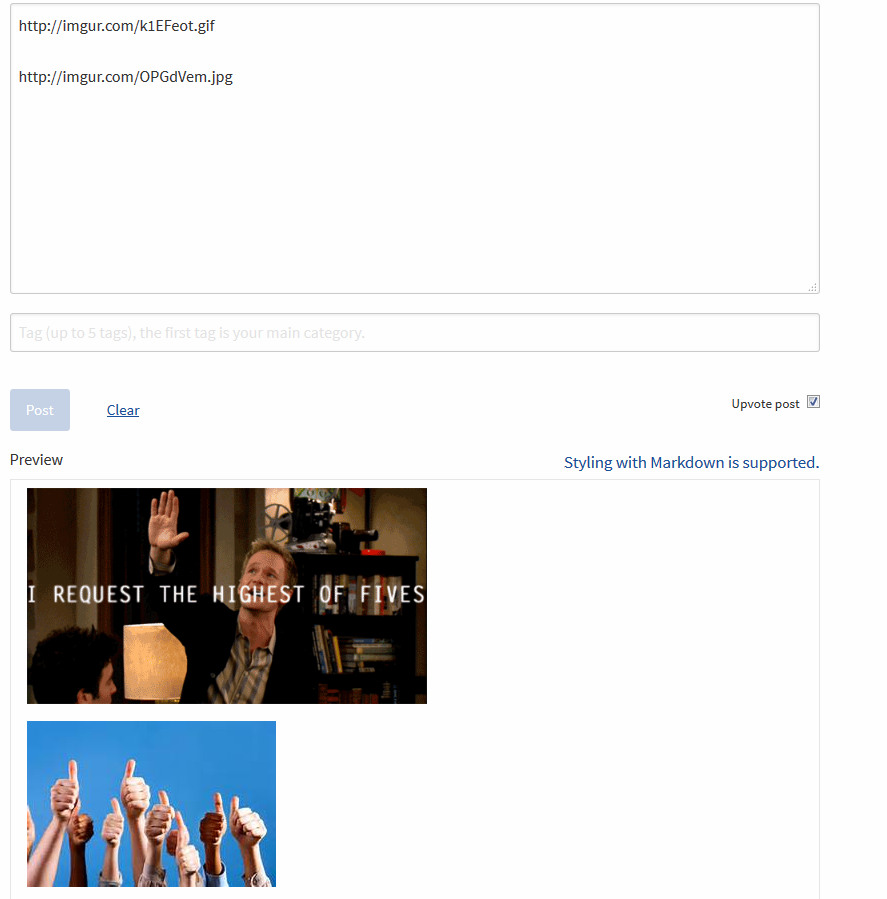
When you click post this is what it should look like.


This was amazing! It works like a charm. The techchat team will be using this tool from now on! ❤️
Great GIF! :D "so you're tellin me there's a chance"
I'm new to steem it and was trying to figure out how to add an image.
Glad I found your post!
Your post is very helpful to get me started to add picture to my first post. However, the last point isn't quite clear to me. So, I just pasted the url (with .jpg added for my picture) onto the body of the post where the preview of text is located. But nothing happened. Then I tried another approach. I clicked on the image icon in the editor box, then pasted the url into the rectangular box that appeared. After that I clicked on the check mark beside it to submit and the picture appeared in the preview body where I wanted it to go. But when I got ready to post it gave me an error message that reads "An image in this post did not save properly".
Well, once again I had to search for solution. Again, some were helpful but still got me nowhere until I stumbled around and got it solved.
Thanks for the very useful, easy to follow and helpful directions.
Help me, please, I'd done everything and I get bad https://steemit.com/spanish/@martaspn/mi-peregrinacion-en-redes-sociales-y-de-que-va-steemit
Need help, my gif are not showing when i click on post
How do I know where to get GIFs that are free to share?
https://giphy.com/
This is super helpful - thanks a lot! :)