Achievement-4 Task By @sameeralii on Applying Markdown || 05.10.2021
-------------------🌸🌸🌸🌸--------------------
Peace be upon you and God's mercy and blessings be upon you.
---------------------🌸🌸🌸🌸----------------------
Hello how are you all friends I hope you are well I want to tell you here that I have completed Achievement Three. Now I am going to complete the Achievement Forum here. Hopefully like I've completed 1, 2 and 3. In the same way, I will complete the four well.
---------------------🌸🌸🌸🌸----------------------
Achievement-4 Mark Down.
Friends, we are only going to talk about the headlines. As you know the headlines that happen. They bring a lot of beauty to the articles and your article looks very beautiful. Powerful and beautiful titles are very important for ranking your articles. So, my dear brothers, in today's Achievement Four, I will try to make headlines for all of you friends.
There are many types of headlines that are commonly used in every article.
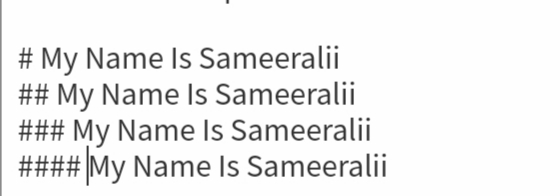
First of all if you want to use the main headings to make your article beautiful then you have to put hash # before your title and place it and then if you want to give your article a second heading. You have to double-mark the hash ## and then place it. Thus the third heading must be marked with three ###. This title will be written in small and large size.
For Example
My Name Is Sameeralii
My Name Is Sameeralii
My Name Is Sameeralii
My Name Is Sameeralii
---------------------🌸🌸🌸🌸----------------------
How to put a link
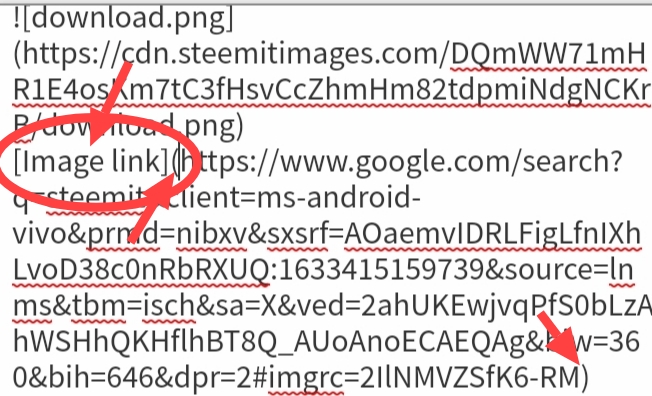
If you are posting someone else's photo in your post. It would be a great crime not to link to it. This would be acceptable if you provided a link to it. How to put this link. That's what I tell you friends. Below I have also given a screenshot of how the link is provided. Below you can see how the link works.
For Example

---------------------🌸🌸🌸🌸----------------------
How to make a table
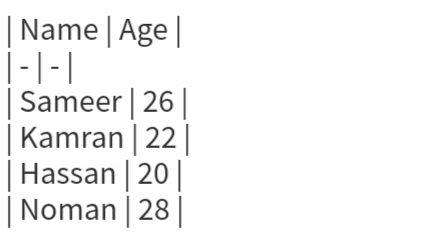
How to make a table.I will tell this to you friends. How to make a table is very simple. You can do this very well. Not so difficult. I will show you how to make a table by giving an example below. I will give a screenshot of how to make a table and below that you can see how the table is made.
For Example
| Name | Age |
|---|---|
| Sameer | 26 |
| Kamran | 22 |
| Hassan | 20 |
| Noman | 28 |
---------------------🌸🌸🌸🌸----------------------
How To Code
How to use a coat I have given the example below. You can also code by doing so.
For Example
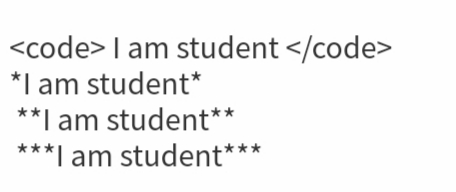
I am student
I am student
I am student
I am student
---------------------🌸🌸🌸🌸----------------------
Quotes - Blockquotes

My Name is Sameeralii. I am student.
---------------------🌸🌸🌸🌸----------------------
Line Break
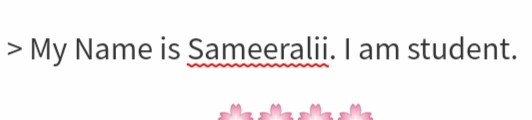
My Name is Sameeralii.
I am student.
---------------------🌸🌸🌸🌸----------------------
Ways To Put Photos
Photos are posted in three ways. He will tell friends in three ways how they are applied. I will tell you below.
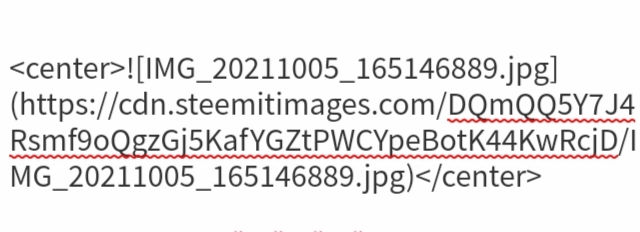
Center
How to put a photo in the center. I have given the screenshot below. You can also apply it by looking at its settings.
For Example
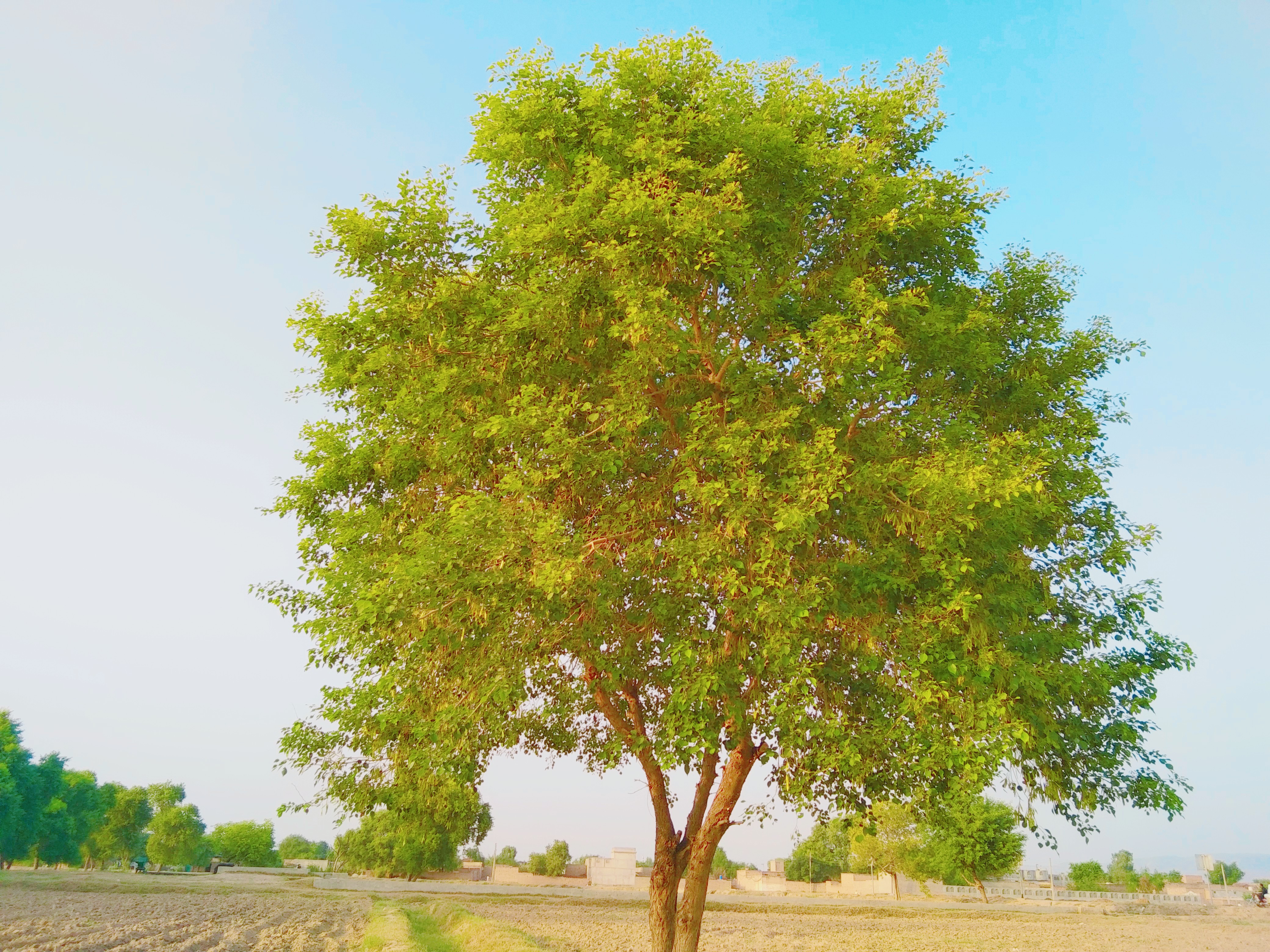
---------------------🌸🌸🌸🌸----------------------
Left Side
For Example
---------------------🌸🌸🌸🌸----------------------
Right Side
For Example
---------------------🌸🌸🌸🌸----------------------
Congratulations you have completed this achivement task.
R3
Congratulations on passing achievement 4 successfully. Now, You are eligible for Minnow Support Program.
I am here to inform you that steemitblog is offering a set of courses for Beginners levels in SteemitCryptoAcademy. You can receive upvotes from steemcurator01 & steemcurator02 by attending the courses following all the guidelines properly.
For more updates, keep following @steemitblog.
Best Regards!!!
@boss75
Best community name please suport me
Check and verified Achievement-5
https://steemit.com/hive-172186/@sameeralii/achievement-5-task-1-by-sameeralii-review-steemworld-org-or-or-09-11-2021
Hi, @sameeralii,
Your post has been supported by @boss75 from the Steem Greeter Team.