🌸🌺 Upload profile and cover Images Easy way 🌺🌸
Today i am share, how to upload my profile images and cover images.
just follow these steps and easily upload your profile images :
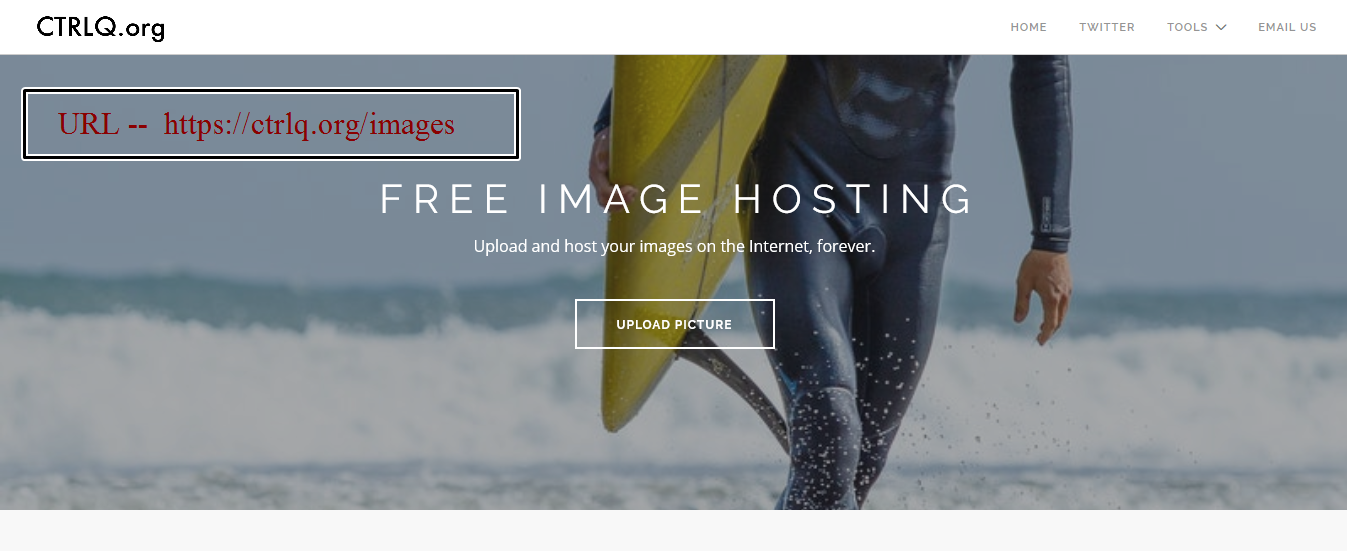
- go this link -- ctrlq.org/images/
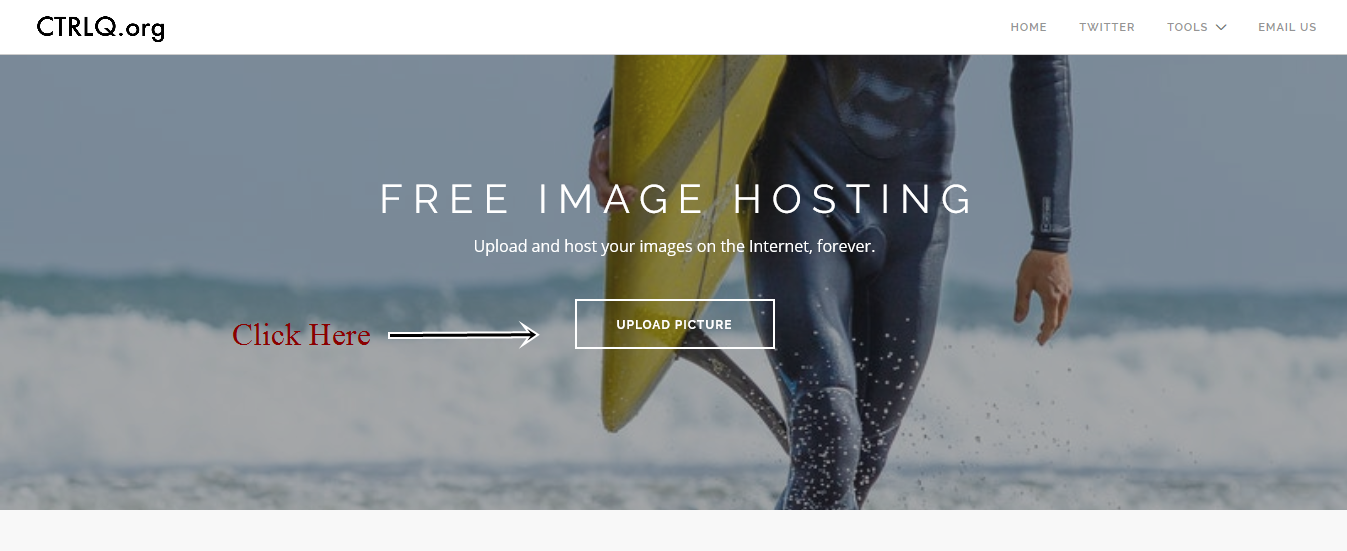
- click upload button.
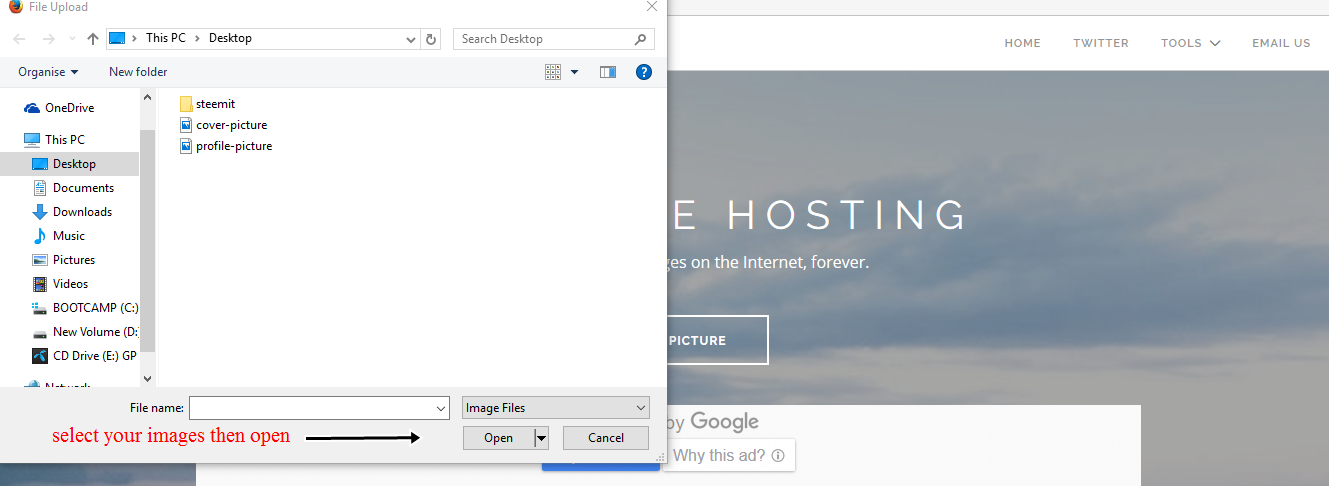
- select your images. ( profile or cover images )
- upload now.
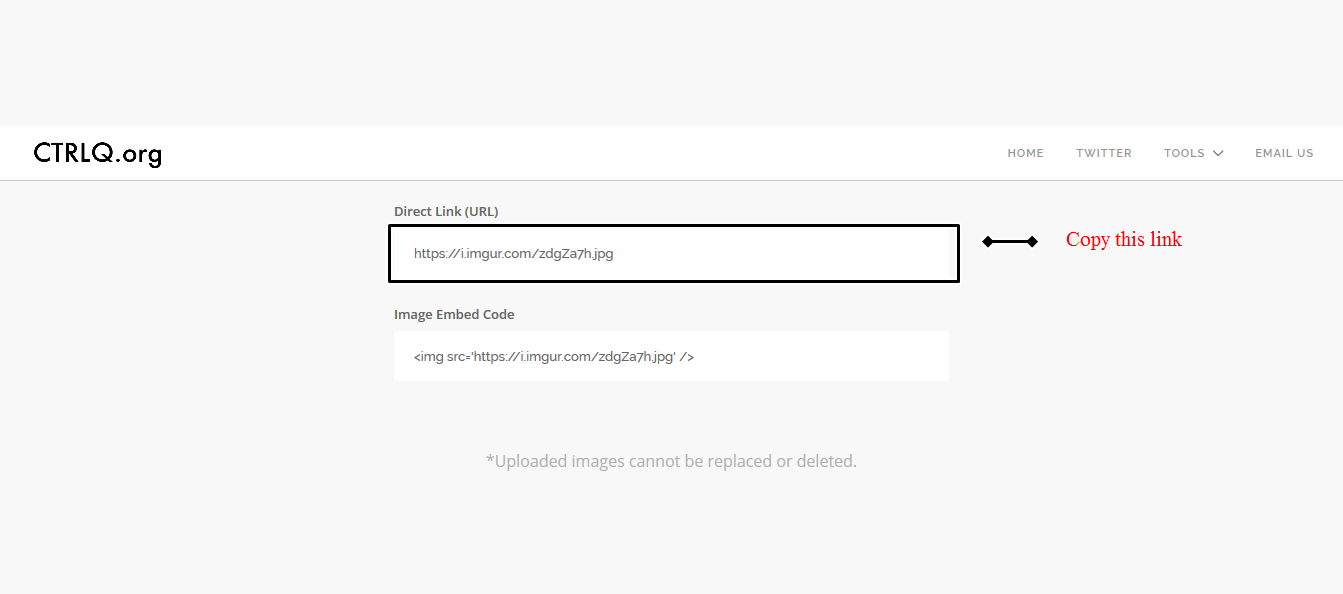
- copy this link.
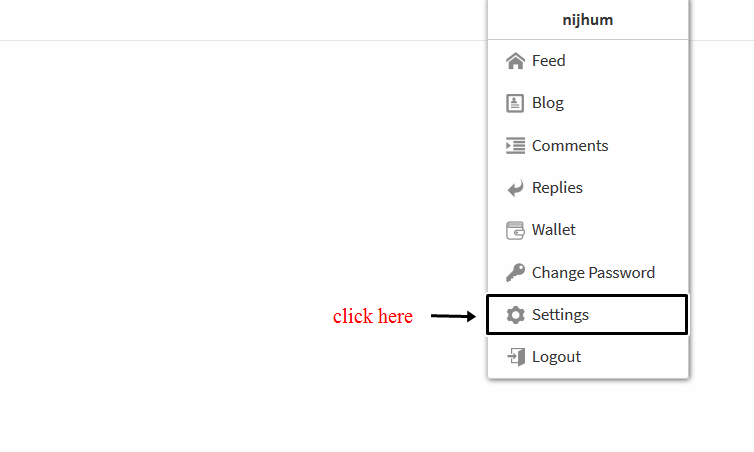
- go to your steemit account settings.
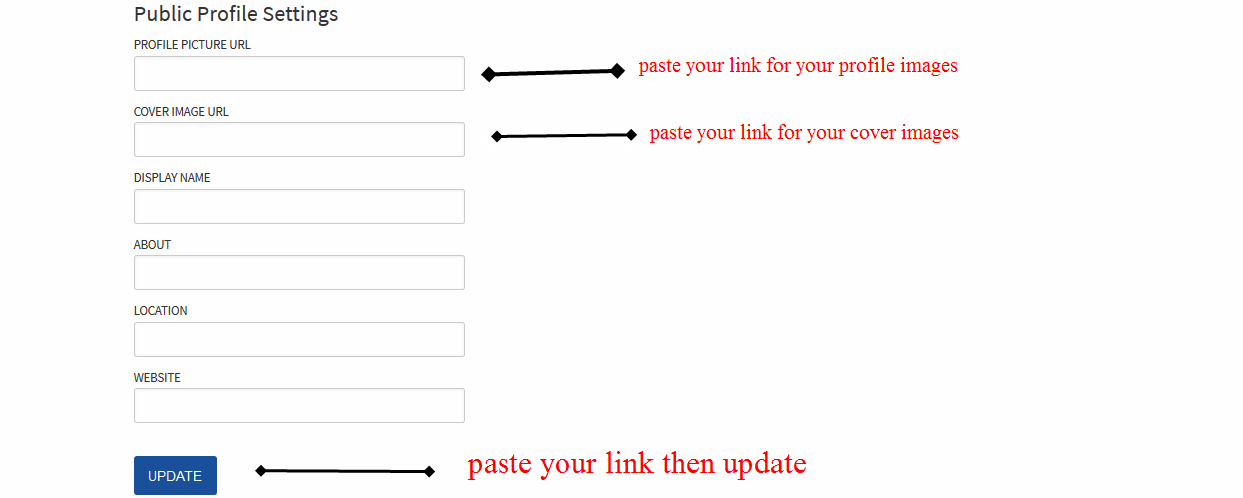
- paste your link.
- now update.
picrtre -1 🌺🌸
picrtre -2 🌺🌸
picrtre -3 🌺🌸
picrtre -4 🌺🌸
picrtre -5 🌺🌸
picrtre -6 🌺🌸
Thanks looking for this information
welcome dear friend
thanks
Nice
Thanks for sharing @nijhum
Upvoted and following you so hope u also follow me n upvote my post
Thank for your information.
This is nice as some is still not aware you can change your cover page.
nice pic
Nice post....upvoted and followed frnd....
অনেক ভাল লাগলো
nice post.
nice tutorial keep up