Simple Business Directory (SBD): Build a Powerful WordPress Business Directory for Listings & Leads
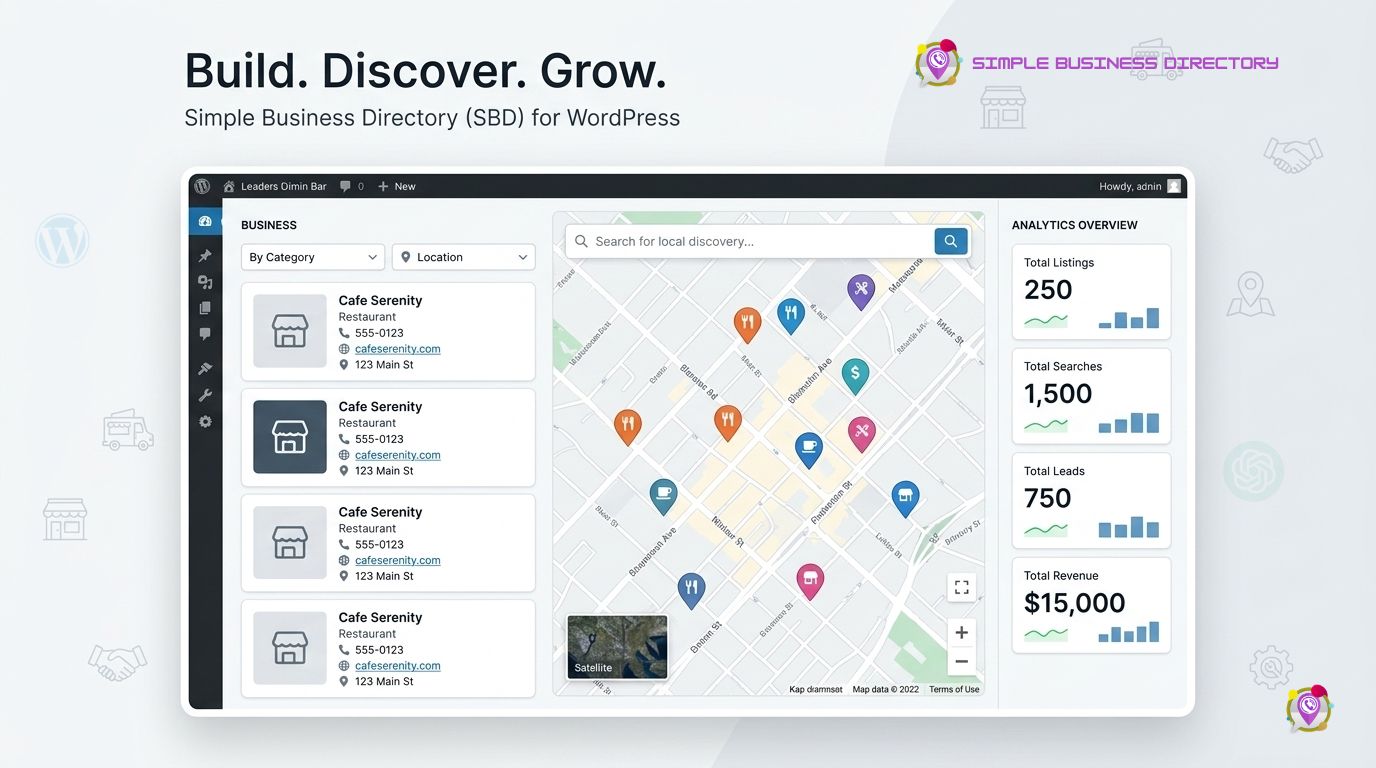
Simple Business Directory (SBD) turns WordPress into a structured business directory where administrators can publish listings, organize business information, add maps, and help visitors find relevant companies or services. Simple Business Directory (SBD) Pro extends the directory with front-end submissions, paid listings, claim listings, distance search, AI-assisted content generation, and additional directory management tools.
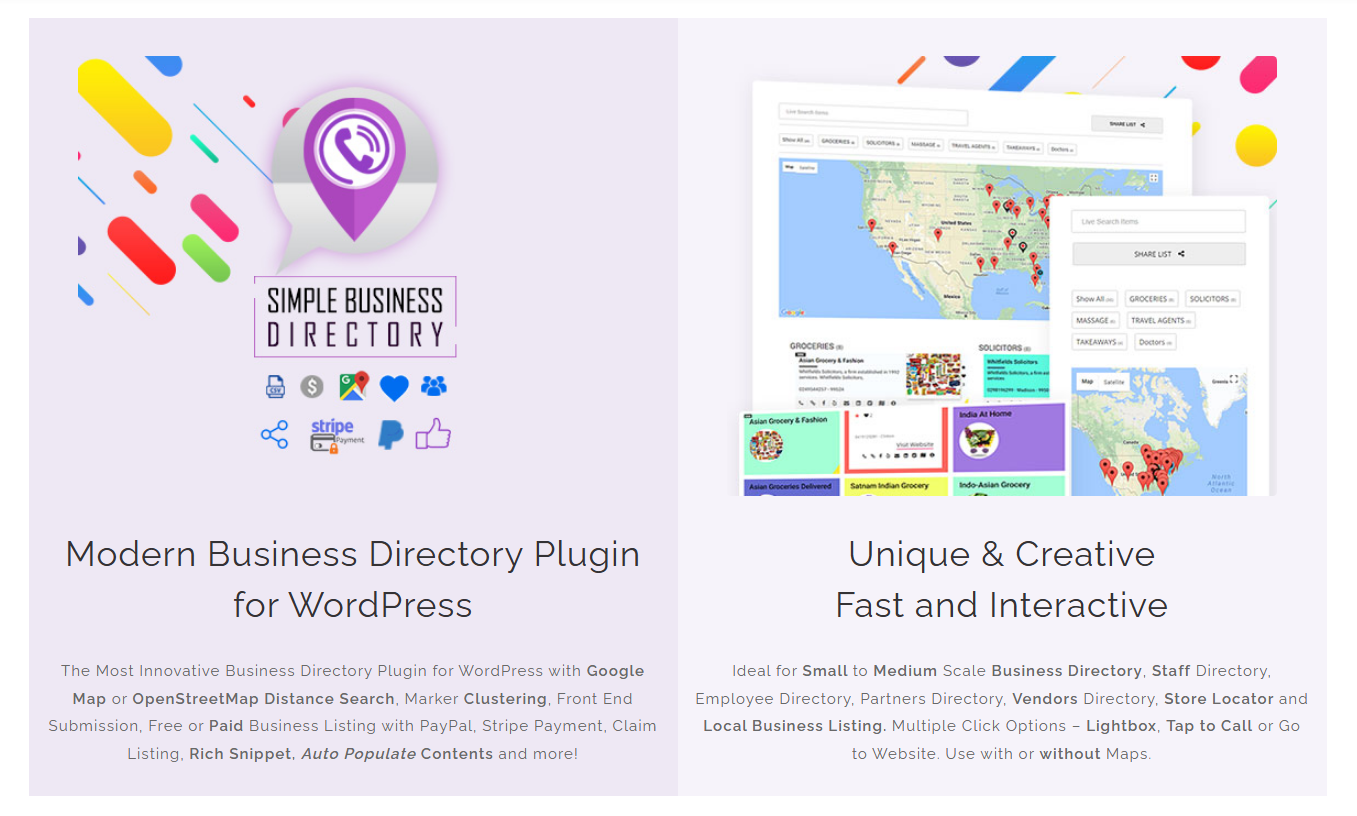
Simple Business Directory (SBD) is built around three practical growth pillars: Business Listing & Directory Management, Search, Discovery & Local Visibility, and Lead Generation, Growth & Monetization. Simple Business Directory (SBD) can support local business directories, store locators, vendor directories, staff directories, employee directories, restaurant directories, company directories, and other niche listing websites.
Why Does Simple Business Directory (SBD) Make More Sense Than Manually Building Business Listings?
Simple Business Directory (SBD) replaces a collection of manually maintained WordPress pages with structured business-listing workflows. Simple Business Directory (SBD) allows administrators to create lists, add listing records, organize categories, publish directories through shortcodes, and manage directory content from WordPress.
Simple Business Directory (SBD) uses lists as the primary building block, which makes Simple Business Directory (SBD) flexible for both compact and larger directory projects. Simple Business Directory (SBD) can display one list, multiple lists, or a broader directory structure depending on the publishing configuration.
Simple Business Directory (SBD) supports responsive templates, Gutenberg integration, shortcode publishing, and compatibility with editors including Elementor, Visual Composer, and Beaver Builder. Simple Business Directory (SBD) therefore fits into an existing WordPress workflow instead of requiring a separate directory application.
How Does Simple Business Directory (SBD) Keep Business Listing Management Under Control?
Simple Business Directory (SBD) provides a dedicated WordPress administration workflow for creating and editing directory lists. Simple Business Directory (SBD) administrators can create a list, add individual business records, configure list presentation, and publish the completed directory through a shortcode or directory block.
Simple Business Directory (SBD) listing records can contain business titles, links, subtitles, descriptions, images, addresses, social profiles, tags, and other available fields. Simple Business Directory (SBD) Pro also supports up to five custom fields for additional business information.
Simple Business Directory (SBD) can automatically generate latitude and longitude from a valid business address when map functionality is configured. Simple Business Directory (SBD) can also generate titles, descriptions, thumbnails, and other listing content from website links through supported automatic content-generation features.
Which Business Data Can Simple Business Directory (SBD) Store and Display?
Simple Business Directory (SBD) can display core business information such as business names, descriptions, website links, phone numbers, addresses, images, and social links. Simple Business Directory (SBD) also supports tap-to-call functionality, which is especially useful for mobile visitors and staff directories.
Simple Business Directory (SBD) Pro can add custom fields when a directory requires information beyond standard listing fields. Simple Business Directory (SBD) custom fields can make a restaurant directory, supplier directory, service directory, or professional directory more useful without forcing every listing into exactly the same data structure.
How Can Simple Business Directory (SBD) Organize Hundreds of Business Listings?
Simple Business Directory (SBD) can organize listings into separate lists and list categories instead of forcing every business into one enormous page. Simple Business Directory (SBD) Pro supports topic-based business lists, category-based presentation, tabbed category listings, and single-page or multi-page directory modes.
Simple Business Directory (SBD) can also import directory data through CSV workflows, which is useful when a directory owner already maintains business information in spreadsheet format. Simple Business Directory (SBD) documentation specifies UTF-8 CSV formatting for the documented import process.
Simple Business Directory (SBD) can export directory data for backup and management workflows according to the current product documentation. Simple Business Directory (SBD) CSV workflows can therefore reduce repetitive manual data entry when a directory contains many records.
Can Simple Business Directory (SBD) Support Front-End Business Submissions?
Simple Business Directory (SBD) Pro allows businesses and users to submit listings through front-end registration and submission workflows. Simple Business Directory (SBD) provides front-end login, registration, dashboard, password-reset, and submitted-listing management workflows for community-driven directories.
Simple Business Directory (SBD) administrators can choose whether submitted listings require approval or can be automatically approved according to the configured workflow. Simple Business Directory (SBD) therefore supports both tightly moderated directories and more community-driven directory models.
Simple Business Directory (SBD) front-end submission can reduce administrative workload when a directory has hundreds of businesses that need to maintain their own information. Simple Business Directory (SBD) administrators should still use moderation rules when directory trust and data accuracy are important.
| Directory Requirement | Simple Business Directory (SBD) Capability |
|---|---|
| Manual business curation | Simple Business Directory (SBD) supports administrator-managed listings. |
| Community submissions | Simple Business Directory (SBD) Pro supports front-end submissions. |
| Listing moderation | Simple Business Directory (SBD) supports administrator management and approval workflows. |
| Bulk data entry | Simple Business Directory (SBD) supports CSV import workflows. |
| Custom information | Simple Business Directory (SBD) Pro supports custom fields. |
| Business ownership | Simple Business Directory (SBD) Pro supports claim listings. |
| User interaction | Simple Business Directory (SBD) supports upvotes and favorites. |
| Multiple directory types | Simple Business Directory (SBD) supports multiple lists and categories. |
Why Is Search More Important Than Simply Publishing More Listings?
Simple Business Directory (SBD) search functionality turns a collection of business records into a discovery experience. Simple Business Directory (SBD) Pro provides live, on-page instant search and filtering so visitors can narrow directory results without repeatedly loading unrelated pages.
Simple Business Directory (SBD) can support directory projects where visitors search by business name, category, tags, or other available listing information. Simple Business Directory (SBD) Pro also supports radius or distance search when Google Maps functionality is configured.
Simple Business Directory (SBD) search becomes especially valuable when a directory grows from 50 listings to several hundred or more. Simple Business Directory (SBD) gives visitors a way to narrow results instead of forcing visitors to scan every business manually.
How Does Simple Business Directory (SBD) Improve Local Business Discovery?
Simple Business Directory (SBD) supports Google Maps and OpenStreetMap for location-based directory experiences. Simple Business Directory (SBD) can display business markers alongside listings or display a map-only experience when the directory requires geographic discovery without a traditional list.
Simple Business Directory (SBD) can automatically generate geographic coordinates from valid addresses when the relevant map configuration is active. Simple Business Directory (SBD) address autocomplete and coordinate generation can reduce manual latitude and longitude entry during directory management.
Simple Business Directory (SBD) Pro supports marker clustering for directories with many geographic points. Simple Business Directory (SBD) marker clustering can reduce visual clutter when hundreds of nearby businesses appear on the same map.
How Can Simple Business Directory (SBD) Support a Local SEO Strategy?
Simple Business Directory (SBD) can provide structured business content that supports a broader local SEO strategy. Simple Business Directory (SBD) Pro includes Schema.org rich-snippet support with JSON-LD for multi-page mode, according to the current official product information.
Simple Business Directory (SBD) should not be treated as an automatic Google ranking system. Simple Business Directory (SBD) provides the directory structure, while unique business information, useful category content, accurate locations, internal linking, page performance, and genuine local relevance determine the quality of the SEO implementation.
Simple Business Directory (SBD) can create stronger topical structure when a directory separates businesses into meaningful categories and geographic areas. Simple Business Directory (SBD) can support a directory architecture such as City → Category → Business Listing, provided every page contains useful, differentiated information.
Can Simple Business Directory (SBD) Generate SEO Value Through Embedding?
Simple Business Directory (SBD) supports embedding directory lists on other websites. Simple Business Directory (SBD) embedding can increase distribution, exposure, and engagement, while the official product documentation also identifies potential backlink benefits when other websites embed curated directory content.
Simple Business Directory (SBD) embedding should be used selectively rather than treated as a shortcut for link building. Simple Business Directory (SBD) directory owners should prioritize genuinely useful lists that another website would naturally want to reference.
How Should Simple Business Directory (SBD) Handle Google Maps and OpenStreetMap Costs?
Simple Business Directory (SBD) supports OpenStreetMap without a Google Maps API key and supports Google Maps through API configuration. Simple Business Directory (SBD) therefore gives directory owners more than one mapping approach.
Simple Business Directory (SBD) administrators should still verify current Google Maps pricing, quotas, billing requirements, and terms before deploying high-traffic map functionality. Simple Business Directory (SBD) provides the WordPress integration, while Google controls Google Maps API billing and usage policies.
Simple Business Directory (SBD) administrators should consider OpenStreetMap-based options when a directory needs a map experience without depending on a paid Google Maps API configuration. Simple Business Directory (SBD) administrators should evaluate tile-provider terms and infrastructure separately because OpenStreetMap data availability does not mean every third-party tile service has identical usage policies.
How Does Simple Business Directory (SBD) Turn Directory Traffic Into Leads?
Simple Business Directory (SBD) places business contact information directly inside directory listings, which shortens the path from discovery to action. Simple Business Directory (SBD) supports website links, phone numbers, tap-to-call interactions, map locations, and other listing actions that can encourage visitor engagement.
Simple Business Directory (SBD) can support a basic lead-generation funnel:
Search → Business Listing → Contact Action → Qualified Lead → Business Conversion
Simple Business Directory (SBD) becomes more commercially useful when directory owners measure actions instead of only counting page views. Simple Business Directory (SBD) administrators can connect outbound-link tracking with analytics systems and evaluate which categories, locations, and listings generate the most engagement.
What ROI Can Simple Business Directory (SBD) Generate From Paid Listings?
Simple Business Directory (SBD) Pro supports free or paid business listing submissions through PayPal and Stripe. Simple Business Directory (SBD) Pro also supports subscription packages, paid claim listings, listing visibility duration, and featured paid items.
Simple Business Directory (SBD) can produce a measurable recurring-revenue model with a straightforward formula:
Monthly Listing Revenue = Active Paid Listings × Monthly Listing Price
For example, Simple Business Directory (SBD) could generate $750 monthly gross listing revenue from 50 active businesses paying $15 per month. Simple Business Directory (SBD) net revenue would need to subtract payment-processing fees, hosting, advertising, customer support, taxes, and other operating expenses.
Simple Business Directory (SBD) can also calculate directory ROI using:
ROI = (Directory Revenue + Qualified Lead Value − Operating Cost) ÷ Operating Cost × 100
Simple Business Directory (SBD) directory owners should use conservative lead values instead of assuming every click becomes a paying customer.
Can Simple Business Directory (SBD) Monetize Business Claims?
Simple Business Directory (SBD) Pro includes claim-listing functionality that allows businesses to claim existing directory records. Simple Business Directory (SBD) Pro allows administrators to configure a claim-listing price through the paid-package system.
Simple Business Directory (SBD) claim listings create a useful monetization model for directories that already contain valuable business information. Simple Business Directory (SBD) can publish a basic listing for free and charge a business owner for claiming, enhancing, or promoting the listing.
Simple Business Directory (SBD) claim monetization works best when the directory already provides measurable exposure. Simple Business Directory (SBD) directory owners should build useful traffic and business data before making claim fees the primary revenue strategy.
Can Simple Business Directory (SBD) Use Featured Listings to Increase Revenue?
Simple Business Directory (SBD) Pro can mark paid items as featured and display featured items at the top of relevant directory results. Simple Business Directory (SBD) can therefore create a premium visibility tier for businesses that want additional exposure.
Simple Business Directory (SBD) featured-listing pricing should reflect actual directory traffic and audience value. Simple Business Directory (SBD) could test a $25 featured placement against a $10 standard listing and compare conversion rates, renewal rates, and qualified visitor actions.
| Simple Business Directory (SBD) Revenue Model | |
|---|---|
| Example Pricing Test | Key Metric |
| Standard paid listing — $10/month | Paid conversion rate |
| Featured listing — $25/month | Upgrade rate |
| Claim listing — $20 one-time | Claim conversion |
| Premium subscription — $49/month | Retention rate |
| Sponsored category placement — $100/month | Qualified referral volume |
Simple Business Directory (SBD) pricing examples above are illustrative testing scenarios, not official SBD prices. Simple Business Directory (SBD) official pricing should be checked before publishing commercial pricing claims.
Why Can Simple Business Directory (SBD) Work for Agencies and Multi-Site Developers?
Simple Business Directory (SBD) can serve agencies that build different directory experiences for different clients. Simple Business Directory (SBD) Master licensing is currently advertised for installation on up to 100 sites with lifetime auto-upgrades and lifetime priority support.
Simple Business Directory (SBD) Personal licensing is currently advertised for one site with one year of automatic upgrades and priority support, while the Master license is currently listed at US$99. Simple Business Directory (SBD) Ultimate is currently advertised at US$139 promotional pricing and includes additional licenses, although pricing can change.
| Simple Business Directory (SBD) Option | Current Official Listing | Intended Use |
|---|---|---|
| Simple Business Directory (SBD) Personal | US$38/year | One website |
| Simple Business Directory (SBD) Master | US$99 | Up to 100 websites |
| Simple Business Directory (SBD) Ultimate | US$139 promotional price | Agencies and power users |
| Simple Business Directory (SBD) Lite | Free | Smaller directory projects |
Simple Business Directory (SBD) pricing should always be verified against the current official product page because promotional pricing and licensing terms can change.
How Can Simple Business Directory (SBD) Use AI Without Creating Low-Quality Directory Content?
Simple Business Directory (SBD) currently advertises AI-assisted business-list generation through Gemini, OpenAI, and OpenRouter. Simple Business Directory (SBD) AI functionality can generate businesses, locations, titles, subtitles, images, and longer descriptions, including bulk generation workflows.
Simple Business Directory (SBD) AI should be treated as a productivity layer rather than a replacement for business-data verification. Simple Business Directory (SBD) administrators should manually validate addresses, phone numbers, website URLs, business names, categories, and descriptions before publishing AI-generated directory records.
Simple Business Directory (SBD) administrators should also calculate AI operating costs before enabling bulk generation. Simple Business Directory (SBD) AI workflows that call external providers can create usage charges based on the provider, model, input tokens, output tokens, image generation, or other provider-specific billing units.
How Does Simple Business Directory (SBD) Compare With a Manually Built Directory?
Simple Business Directory (SBD) provides structured directory functionality that would otherwise require significant custom WordPress development. Simple Business Directory (SBD) includes listing management, search, filtering, maps, front-end submissions, claims, embedding, and monetization features depending on the selected version.
| Capability | Manual WordPress Directory | Simple Business Directory (SBD) |
|---|---|---|
| Business records | Custom development | Simple Business Directory (SBD) listing system |
| Search | Custom development | Simple Business Directory (SBD) search |
| Filtering | Custom development | Simple Business Directory (SBD) filtering |
| Maps | Separate integration | Simple Business Directory (SBD) map support |
| Front-end submission | Custom development | Simple Business Directory (SBD) Pro |
| Claim listing | Custom workflow | Simple Business Directory (SBD) Pro |
| Paid listings | Payment development required | Simple Business Directory (SBD) Pro |
| CSV workflow | Custom development | Simple Business Directory (SBD) import/export |
| AI listing generation | External development | Simple Business Directory (SBD) AI features |
| Directory embedding | Custom development | Simple Business Directory (SBD) embed functionality |
Simple Business Directory (SBD) does not eliminate the need for WordPress development when a project requires highly customized business logic. Simple Business Directory (SBD) provides a strong starting architecture while custom code can handle project-specific integrations and workflows.
What Is the Best Simple Business Directory (SBD) Launch Strategy for a New Local Directory?
Simple Business Directory (SBD) should begin with a narrow geographic or industry niche rather than attempting to index every business category immediately. Simple Business Directory (SBD) directories with a clear audience can create more useful category structures and stronger topical relevance.
Simple Business Directory (SBD) launch planning should follow a measurable sequence:
- **Simple Business Directory (SBD) should define one target niche and geographic market.
- Simple Business Directory (SBD) should create logical business categories before importing listings.
- Simple Business Directory (SBD) should standardize required listing fields before collecting business data.
- Simple Business Directory (SBD) should verify business names, addresses, phone numbers, URLs, and descriptions.
- Simple Business Directory (SBD) should configure Google Maps or OpenStreetMap according to the project's traffic and cost requirements.
- Simple Business Directory (SBD) should enable search, filtering, and radius functionality where visitor intent requires those features.
- Simple Business Directory (SBD) should publish useful category and location content around the directory.
- Simple Business Directory (SBD) should test mobile click-to-call, website links, maps, and forms before launch.
- Simple Business Directory (SBD) should introduce paid listings after establishing genuine visitor value.
- Simple Business Directory (SBD) should measure listing views, outbound clicks, submissions, claims, paid conversions, and recurring revenue.**
How Should Developers Keep Simple Business Directory (SBD) Fast as the Directory Grows?
Simple Business Directory (SBD) resource usage depends on listing volume, database queries, map markers, search frequency, image size, third-party API requests, caching, and concurrent traffic. Simple Business Directory (SBD) should therefore be load-tested using a production-like dataset instead of assuming that a five-list development installation represents a 5,000-listing production website.
Simple Business Directory (SBD) developers should optimize image dimensions, use WordPress caching, minimize unnecessary external requests, and avoid loading map resources on pages where maps provide no value. Simple Business Directory (SBD) developers should also monitor PHP memory, database query time, page-generation time, JavaScript execution, and external API latency.
Simple Business Directory (SBD) map-heavy directories deserve additional performance testing because browser-side map rendering and marker clustering can become expensive when hundreds or thousands of geographic points are displayed. Simple Business Directory (SBD) developers should consider pagination, filtering, clustering, and selective map loading when directory scale increases.
How Can Simple Business Directory (SBD) Become a Long-Term SEO Asset Instead of a Thin Directory?
Simple Business Directory (SBD) can become a stronger SEO asset when every listing provides useful information that visitors cannot easily find elsewhere. Simple Business Directory (SBD) should avoid creating thousands of near-identical pages containing only a business name, phone number, and external URL.
Simple Business Directory (SBD) can support an SEO architecture based on location + category + business intent. Simple Business Directory (SBD) can structure content around examples such as “Dhaka Restaurants,” “Mirpur IT Companies,” “Chattogram Travel Agencies,” or “Sylhet Hotels,” provided the pages contain genuinely useful and differentiated information.
Simple Business Directory (SBD) should combine directory pages with supporting editorial content, internal links, accurate business data, optimized images, clean URLs, strong page titles, useful metadata, and appropriate structured data. Simple Business Directory (SBD) provides the directory infrastructure, while the site owner remains responsible for content quality and search strategy.
What Technical Risks Should Developers Check Before Launching Simple Business Directory (SBD)?
Simple Business Directory (SBD) developers should test directory imports, search queries, map loading, front-end submissions, user registration, payment flows, claim workflows, AI integrations, and webhook integrations before production deployment. Simple Business Directory (SBD) developers should perform these tests on staging because directory changes can affect both database records and public pages.
Simple Business Directory (SBD) developers should also maintain regular backups before bulk imports or major updates. Simple Business Directory (SBD) administrators should maintain version records for WordPress core, PHP, Simple Business Directory (SBD), themes, extensions, and external APIs to make troubleshooting significantly easier.
Technical Objection FAQ:
Can Simple Business Directory (SBD) Create High Server Resource Overhead?
Simple Business Directory (SBD) server overhead depends on database size, search frequency, map usage, image processing, concurrent users, external APIs, and hosting architecture. Simple Business Directory (SBD) should be benchmarked using realistic listing counts and traffic patterns rather than relying on generic server specifications.
Simple Business Directory (SBD) developers should monitor PHP memory usage, PHP execution time, MySQL query duration, database size, cache hit rate, HTTP response time, and external API latency. Simple Business Directory (SBD) performance can often be improved through page caching, optimized images, selective map loading, efficient pagination, and reducing unnecessary third-party requests.
Simple Business Directory (SBD) developers should also separate backend-heavy administrative operations from visitor-facing page requests whenever possible. Simple Business Directory (SBD) bulk imports and AI generation should be tested independently because large asynchronous or batch operations can have different resource characteristics from normal directory browsing.
How Should Simple Business Directory (SBD) Manage OpenAI, Gemini, and DeepSeek Token Billing?
Simple Business Directory (SBD) currently advertises AI integrations for OpenAI, Gemini, and OpenRouter. Simple Business Directory (SBD) does not currently list DeepSeek as one of the named native AI providers on the official plugin listing, so DeepSeek should not be represented as a built-in SBD provider without verifying a supported integration path.
Simple Business Directory (SBD) administrators should calculate AI expenditure using a provider-specific formula:
AI Cost = Input Tokens × Input Rate + Output Tokens × Output Rate + Additional Provider Charges
Simple Business Directory (SBD) administrators should set provider-side spending limits where available, monitor API usage, restrict API keys to appropriate environments, and avoid exposing API credentials in client-side JavaScript. Simple Business Directory (SBD) bulk AI generation should also use controlled batches so an accidental automation loop cannot generate an unexpectedly large API bill.
Simple Business Directory (SBD) administrators should log model name, request count, token usage, response errors, and approximate cost for high-volume AI workflows. Simple Business Directory (SBD) administrators should treat OpenAI, Gemini, OpenRouter, and any future provider as separate billing domains because provider pricing and usage limits can change independently.
How Should Simple Business Directory (SBD) Handle GDPR and Privacy Data Structures?
Simple Business Directory (SBD) supports a privacy-policy agreement before displaying maps according to the current WordPress.org listing. Simple Business Directory (SBD) therefore provides a useful privacy control around map functionality, but Simple Business Directory (SBD) cannot make an entire WordPress website automatically GDPR-compliant.
Simple Business Directory (SBD) administrators should classify directory data into separate categories such as public business data, user-account data, submission metadata, payment information, analytics data, map-provider requests, and AI-provider data. Simple Business Directory (SBD) administrators should document what information is collected, why the information is processed, how long the information is retained, and which third parties receive information.
Simple Business Directory (SBD) developers should minimize personal-data collection in custom fields. Simple Business Directory (SBD) developers should also test account deletion, listing ownership changes, data export, moderation, and retention workflows when directory submissions contain personal information.
How Should Simple Business Directory (SBD) Handle Past Security Patches and Vulnerability History?
Simple Business Directory (SBD) security evaluation should begin with the exact version installed on production rather than a vague assessment based on historical plugin versions. Simple Business Directory (SBD) has documented recent releases containing security and code-quality improvements, including security improvements in versions listed in the current WordPress.org changelog.
Simple Business Directory (SBD) administrators should keep Simple Business Directory (SBD), WordPress core, PHP, themes, and related extensions updated according to a tested maintenance process. Simple Business Directory (SBD) administrators should review official changelogs and security advisories before deciding whether an update can safely be delayed.
Simple Business Directory (SBD) security should also be evaluated as part of the entire WordPress stack. Simple Business Directory (SBD) security can be undermined by compromised administrator credentials, outdated WordPress core, vulnerable themes, exposed API keys, insecure custom code, weak hosting controls, or unsafe third-party integrations.
How Should Simple Business Directory (SBD) Handle Webhook Latency?
Simple Business Directory (SBD) webhook latency depends on the receiving server, network conditions, authentication, payload size, external API processing, and timeout configuration. Simple Business Directory (SBD) integrations should avoid keeping a visitor's HTTP request waiting for slow external systems whenever an asynchronous workflow is technically possible.
Simple Business Directory (SBD) developers should use short connection timeouts, retry policies, exponential backoff, idempotency controls, structured logs, and failure queues for mission-critical webhook workflows. Simple Business Directory (SBD) developers should also distinguish between a webhook request being delivered and the downstream application successfully processing the webhook.
Simple Business Directory (SBD) developers should monitor P50, P95, and P99 webhook response times instead of relying only on average latency. Simple Business Directory (SBD) developers can use P95 latency to identify whether the slowest 5% of requests are creating operational problems.
Can Simple Business Directory (SBD) Become a Real Lead-Generation Engine for WordPress?
Simple Business Directory (SBD) provides the technical foundation for a directory that can move beyond simple contact storage into business discovery and lead generation. Simple Business Directory (SBD) combines structured listings, search, filtering, maps, front-end submissions, claims, paid listings, user interaction, embedding, and AI-assisted content generation across its available versions.
Simple Business Directory (SBD) works best when the directory strategy follows three connected pillars: Business Listing & Directory Management creates trustworthy business data, Search, Discovery & Local Visibility connects visitors with relevant businesses, and Lead Generation, Growth & Monetization converts directory attention into measurable business value.
Simple Business Directory (SBD) should therefore be evaluated as a WordPress directory framework rather than merely a list-building widget. Simple Business Directory (SBD) gives developers, agencies, local publishers, marketers, and directory entrepreneurs a practical foundation for building searchable business ecosystems while leaving room for custom SEO, analytics, payment, privacy, and integration strategies.