The Brutally Honest Coupert Review (2026): Is It Safe & Better Than Honey?
Let’s be real for a second. There is nothing more frustrating than getting to an online checkout, seeing that little "Enter Promo Code" box, and spending 20 minutes opening new tabs to find a code only for every single one of them to be expired.
I test a lot of digital tools, mostly focusing on things that actually provide upfront value without the usual headaches. Recently, the Coupert browser extension kept popping up on my radar. It claims to automatically test discount codes and give you cashback on autopilot.
But I had the same questions you probably do right now: Does it actually work? Is it a scam? And is it better than Honey?
Here is my breakdown after putting it to the test.
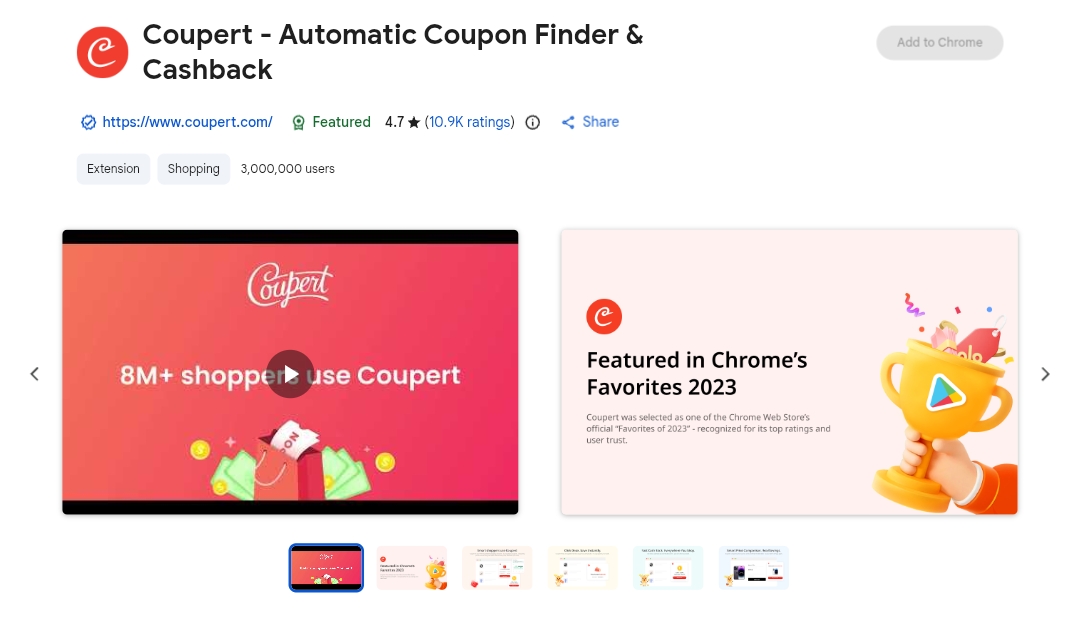
What Exactly Is Coupert?
Simply put, Coupert is a free browser extension (available for Chrome, Safari, Firefox, and Edge) that acts as an automatic coupon finder. When you are shopping on sites like Walmart, AliExpress, eBay, or thousands of other retailers, Coupert runs in the background.
When you hit the checkout page, a small box pops up. You click one button, and the extension automatically runs through a database of known promo codes for that specific store, applying the one that gives you the biggest discount.
On top of the discounts, they also have a cashback feature. Even if no coupons are available, you can often earn a percentage of your purchase back, which accumulates in your Coupert account and can be cashed out straight to PayPal.
Is Coupert Safe to Use, or Is It a Scam?
This is the most searched question about this tool, and for good reason. Nobody wants to install malware or have their data hijacked just to save a few bucks on a checkout page.
Here are the facts:
- It is 100% legit. Coupert has millions of active users and high ratings on the official Chrome Web Store. It is not a virus or a scam.
- How they make money: It’s straightforward. When you use their extension to buy something, the store pays Coupert a commission for driving the sale. Coupert then splits that commission with you in the form of cashback. It’s a win-win.
- Privacy: Like any browser extension that tracks shopping, it needs to read the pages you visit on supported online stores to find the checkout box. They use standard encryption and don't sell your personal identity to third parties.
Coupert vs. Honey: Which Auto Coupon Finder Wins?
If you've looked into this space before, you know Honey is the giant in the room. So why use Coupert?
Honestly, they do the exact same core job. However, I’ve noticed a few distinct differences where Coupert pulls ahead:
- International Stores: Honey is heavily focused on major US and UK retailers. Coupert tends to have a much wider net for international stores and dropshipping platforms like AliExpress.
- Cashback Rates: In several head-to-head tests, Coupert frequently offered a slightly higher cashback percentage than Honey on the exact same items.
- The "Stacking" Effect: Sometimes you can run both. Let Honey find a code, then let Coupert find a code, and keep the best one.
The Verdict: Should You Install It?
If you do any sort of online shopping, not having an auto coupon finder installed is literally leaving free money on the table. It takes about five seconds to add to your browser, it’s completely free, and you forget it's even there until it pops up to save you $15 on a random Tuesday.
If you want to stop wasting time hunting for expired promo codes, you can grab the official, secure extension right here.
Click Here to Add the Coupert Extension for Free
Got questions about how it works or how fast the cashback hits your PayPal? Drop a comment below and I'll answer them.
Thank you for sharing on steem! I'm witness fuli, and I've given you a free upvote. If you'd like to support me, please consider voting at https://steemitwallet.com/~witnesses 🌟
Thanks for the vote