Why an AI Product Ad Generator Should Start With the Product, Not a Blank Prompt
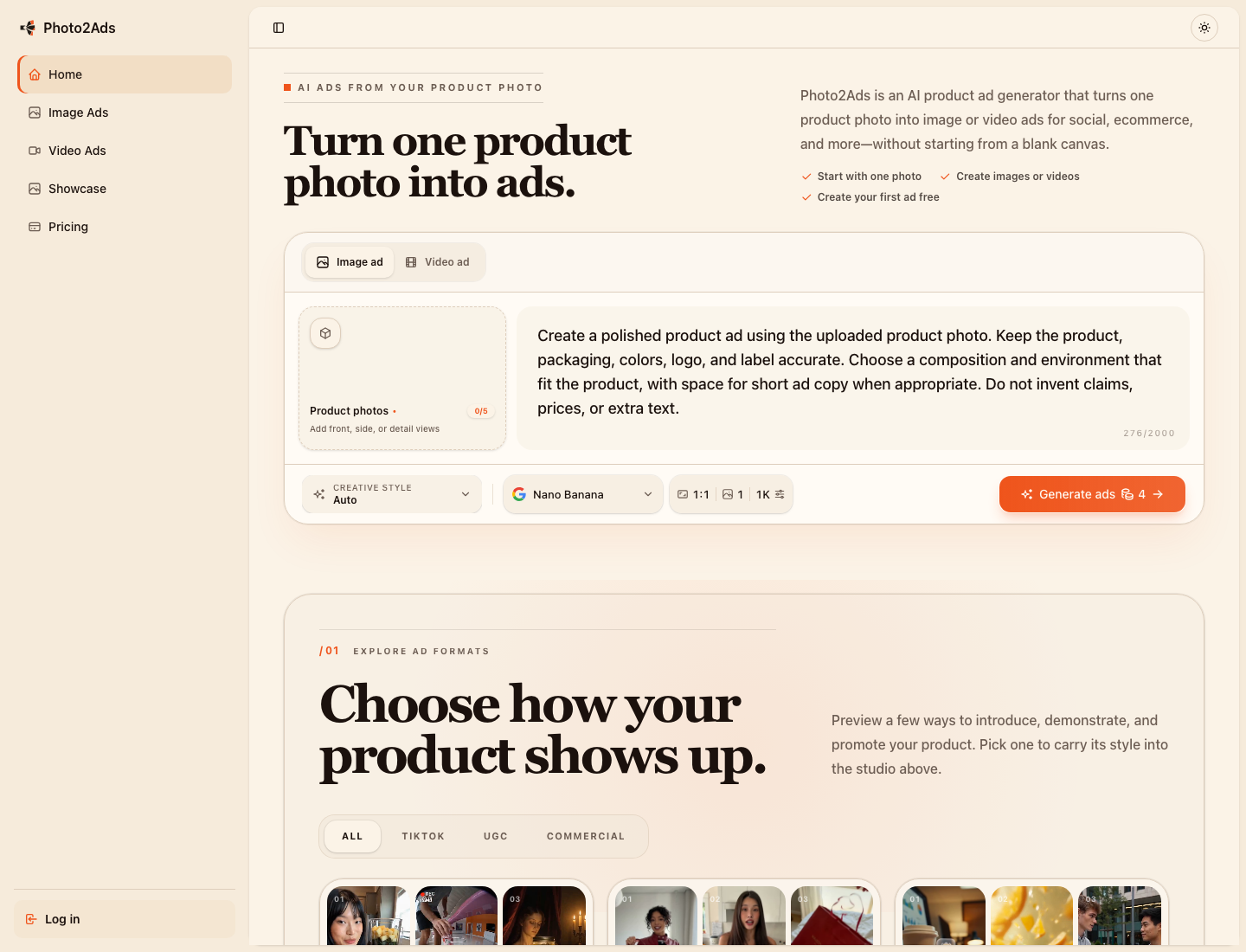
An AI product ad generator promises speed, but many of these tools begin in the least useful place: an empty prompt box.
That looks simple until you try to make a real campaign.
You need a square storefront image, a vertical social post, a creator-style video, several visual directions, and enough variations to discover what actually works. For every new format, you have to describe the product again, rebuild the creative context, and hope the AI does not change the packaging, logo, label, or colors.
For a solo founder or a small ecommerce team, the work has not disappeared. It has simply moved from a design canvas into prompt engineering.
That is the problem I wanted to address with Photo2Ads.
The blank prompt is a hidden creative tax
An empty prompt assumes the user already knows how to translate a marketing idea into production language.
They must specify the scene, framing, lighting, camera movement, aspect ratio, platform, mood, and visual style. They must also explain which details of the product cannot change.
If the result is wrong, they have to diagnose whether the problem came from the prompt, model, reference image, or generation settings.
This is a lot to ask from someone who may simply want to test three ad concepts for a product they are launching this week.
The breakthrough is not generation by itself. It is keeping the product, creative direction, and result connected.
That idea became the foundation of Photo2Ads.
Start with the product as the source of truth
Instead of asking the user to invent a perfect prompt, Photo2Ads begins with something concrete: the product photo.
In image mode, a user can provide several views of the same product, including the front, side, packaging, and important details. The creative controls then stay beside those references:
- Creative style
- Image model
- Aspect ratio
- Resolution
- Number of variations
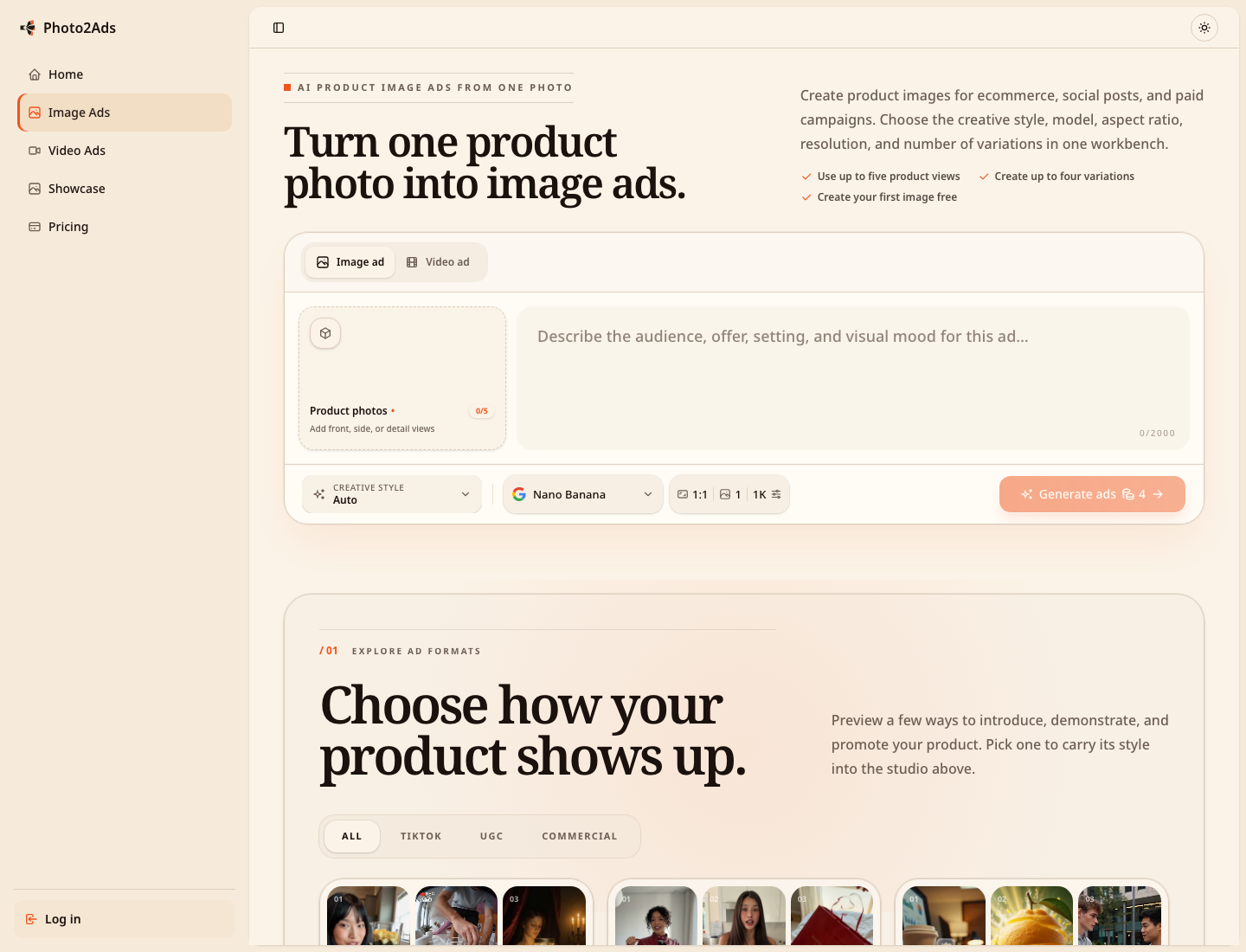
The point is not to remove creative decisions. The point is to make those decisions visible, understandable, and reusable.
The same product can also move into a short-form video workflow without rebuilding the project from zero. A user can choose an opening hook, setting, duration, quality, audio options, and video model while keeping the relevant product and person references attached.
This matters because a polished product photograph, a selfie testimonial, and a fast demonstration video are different creative jobs. They should share the same product source without forcing the user to repeat every earlier step.
A generated result is more useful when it remembers its inputs
One real example in the Photo2Ads showcase begins with a tennis racket photo and a person reference.
The direction asks for a vertical, selfie-style UGC review on an outdoor tennis court. The generated frame is only one part of the result. The product reference, person reference, and creative direction remain connected to it.
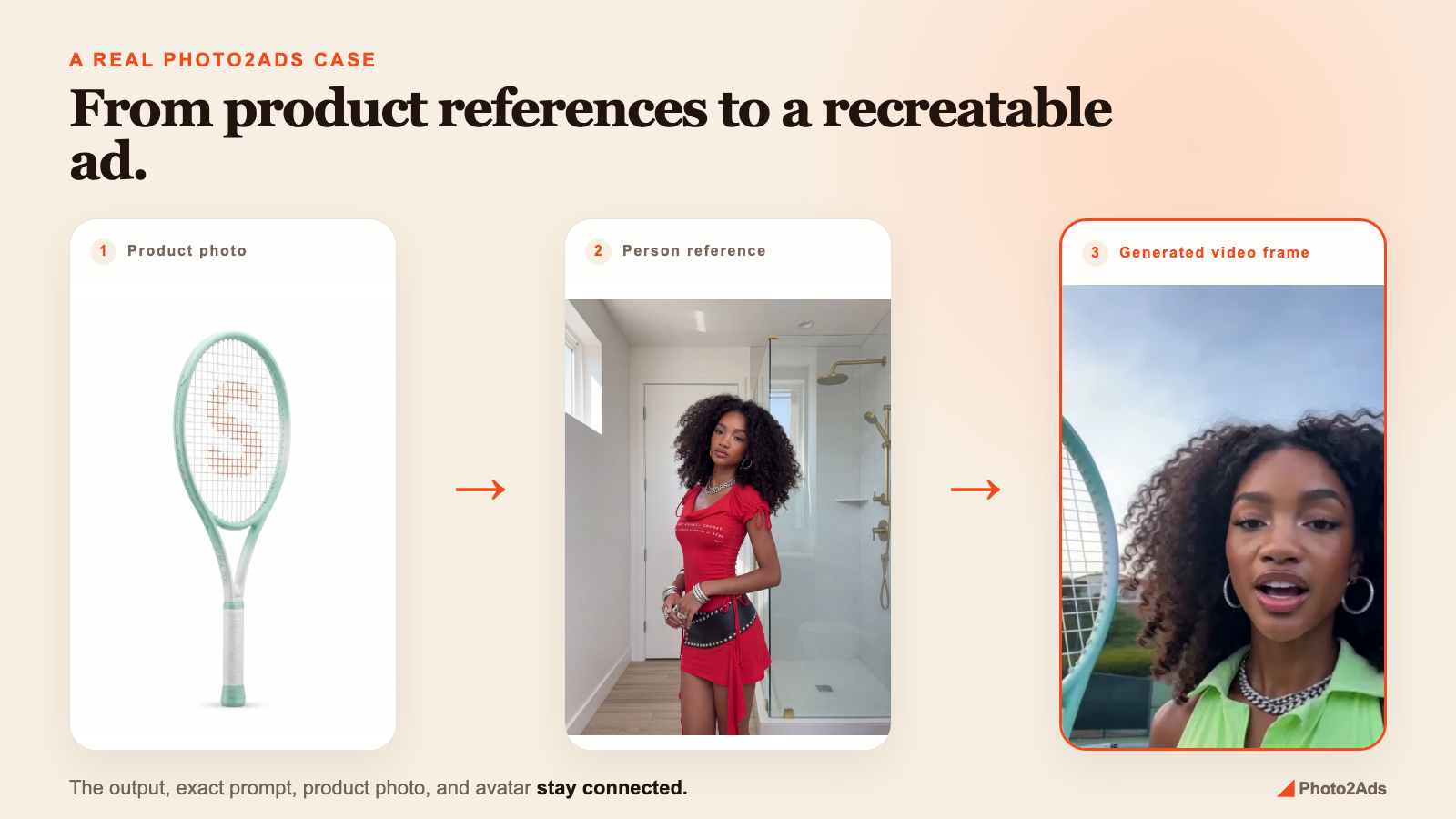
This changes what an example gallery can do.
A gallery that only displays attractive outputs provides inspiration. A gallery that also preserves the inputs provides a starting point.
Instead of looking at a result and wondering how it was created, a user can inspect the direction and take it back into the studio for their own product.
Examples should be reusable, not decorative
The live Photo2Ads showcase currently organizes 75 video results across 25 creative styles.
The examples include directions such as:
- UGC reviews
- Product demonstrations
- Unboxing videos
- Before-and-after stories
- Commercial spots
- Virtual try-ons
- Selfie testimonials
- Tutorials
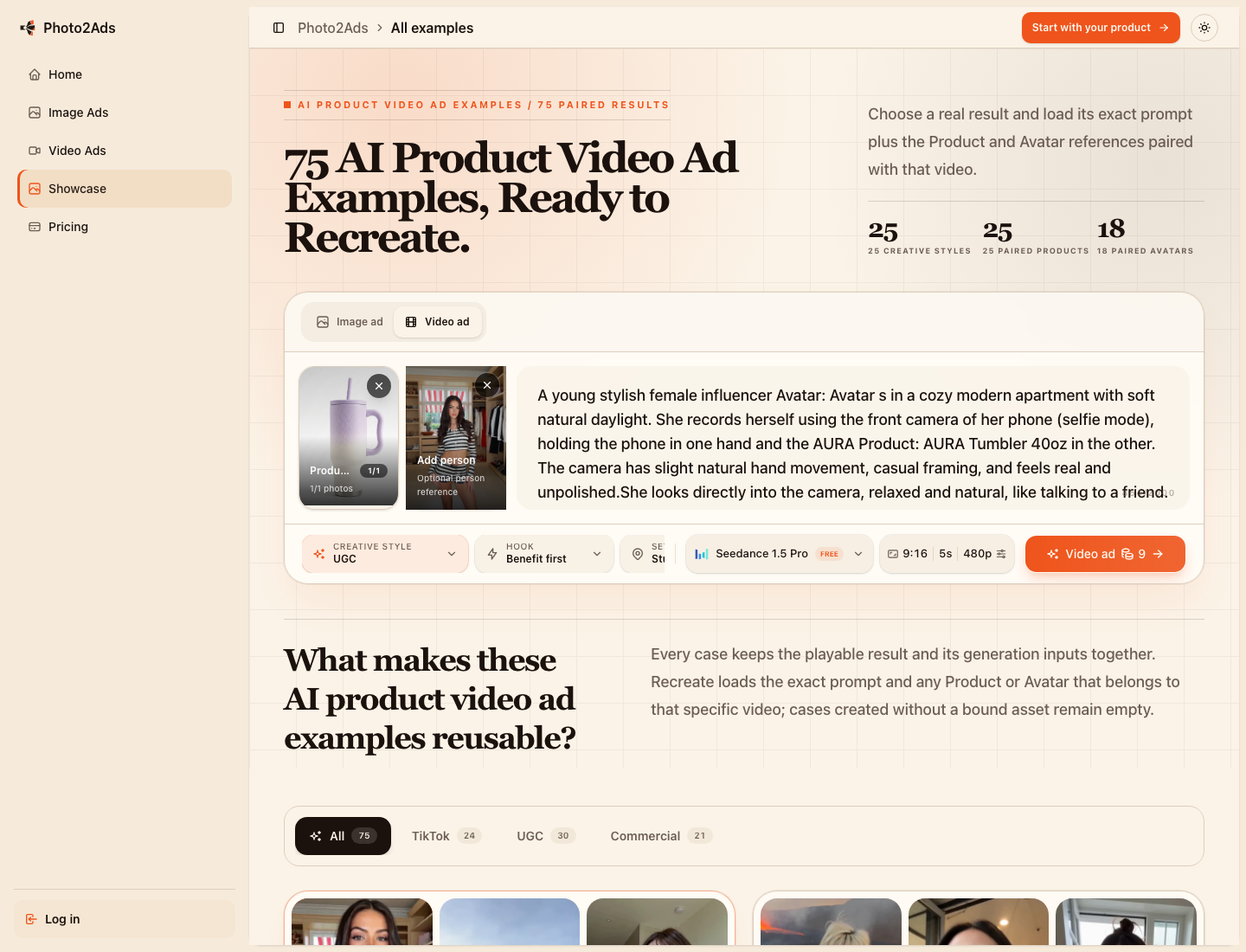
When a product or person reference belongs to a specific result, it travels with the creative direction. When a case does not contain a bound reference, the product does not invent one.
This addresses a gap I often see in creative tools:
Most people do not need more inspiration. They need a practical way to move from “I like that ad” to “help me make my version with my product.”
The product must remain the protagonist
AI-generated advertising can easily become a visual spectacle. The setting gets more dramatic, the person receives more attention, and the product slowly turns into a prop.
Photo2Ads is designed around the opposite priority. The uploaded product is the anchor. The style, hook, person, and setting are there to present it—not replace it.
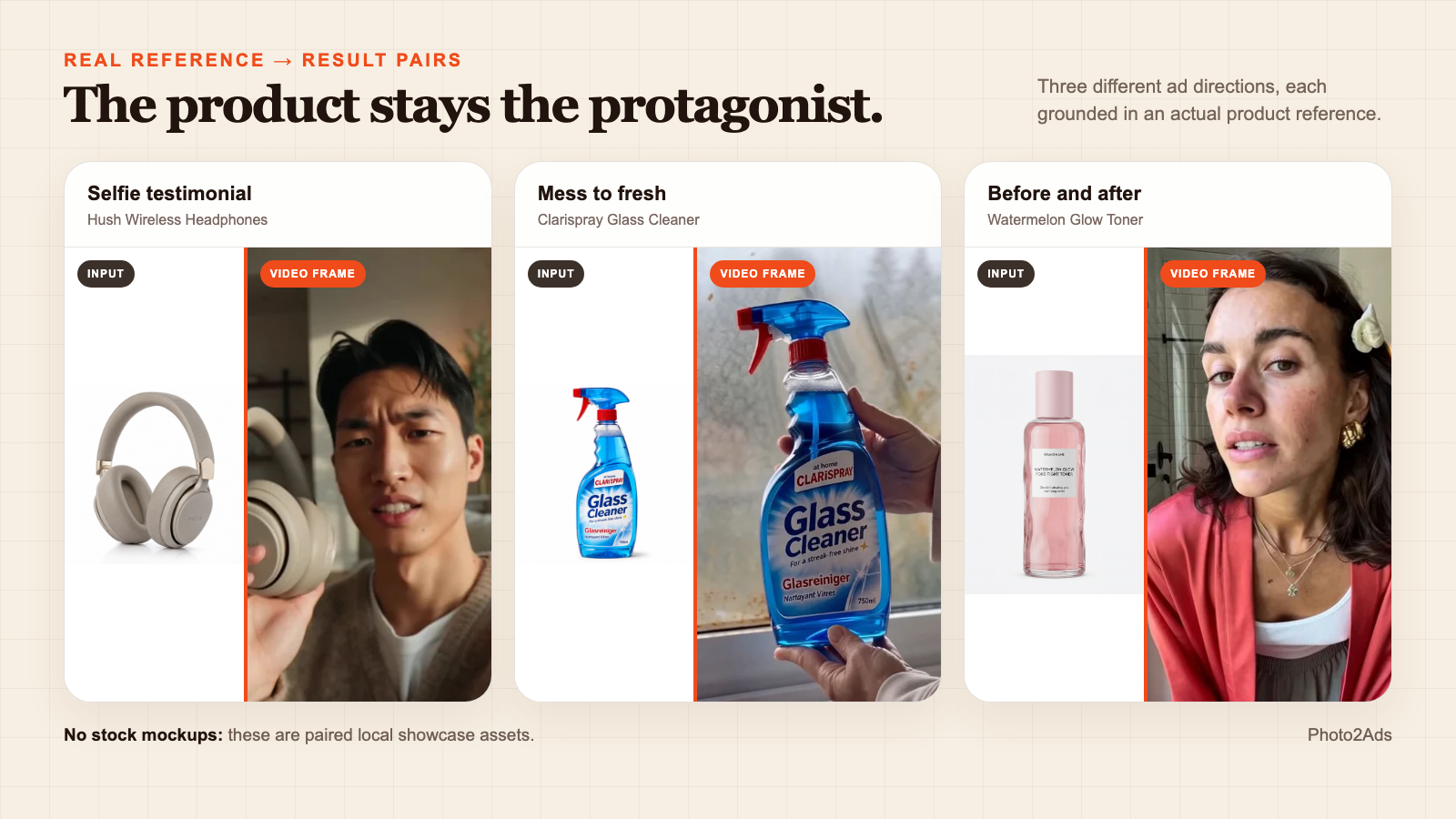
The default image direction asks the model to preserve the product, packaging, colors, logo, and label. It also tells the model not to invent prices, claims, or unnecessary text.
This does not make AI output automatically safe to publish.
Human review is still necessary because a model can:
- Misread a small label
- Change packaging details
- Alter a logo or color
- Create unnatural hands or faces
- Produce visual claims that have not been verified
A product-first workflow improves consistency, but it does not replace judgment.
A result page should explain how the result was made
Every strong AI output creates follow-up questions:
- Which product image was used?
- Was there a person reference?
- What was the exact creative direction?
- Which style shaped the result?
- Can I create a version for my product?
A conventional gallery usually answers none of them.
Photo2Ads case pages keep the result beside its direction and references, with a path back into the creation workflow.
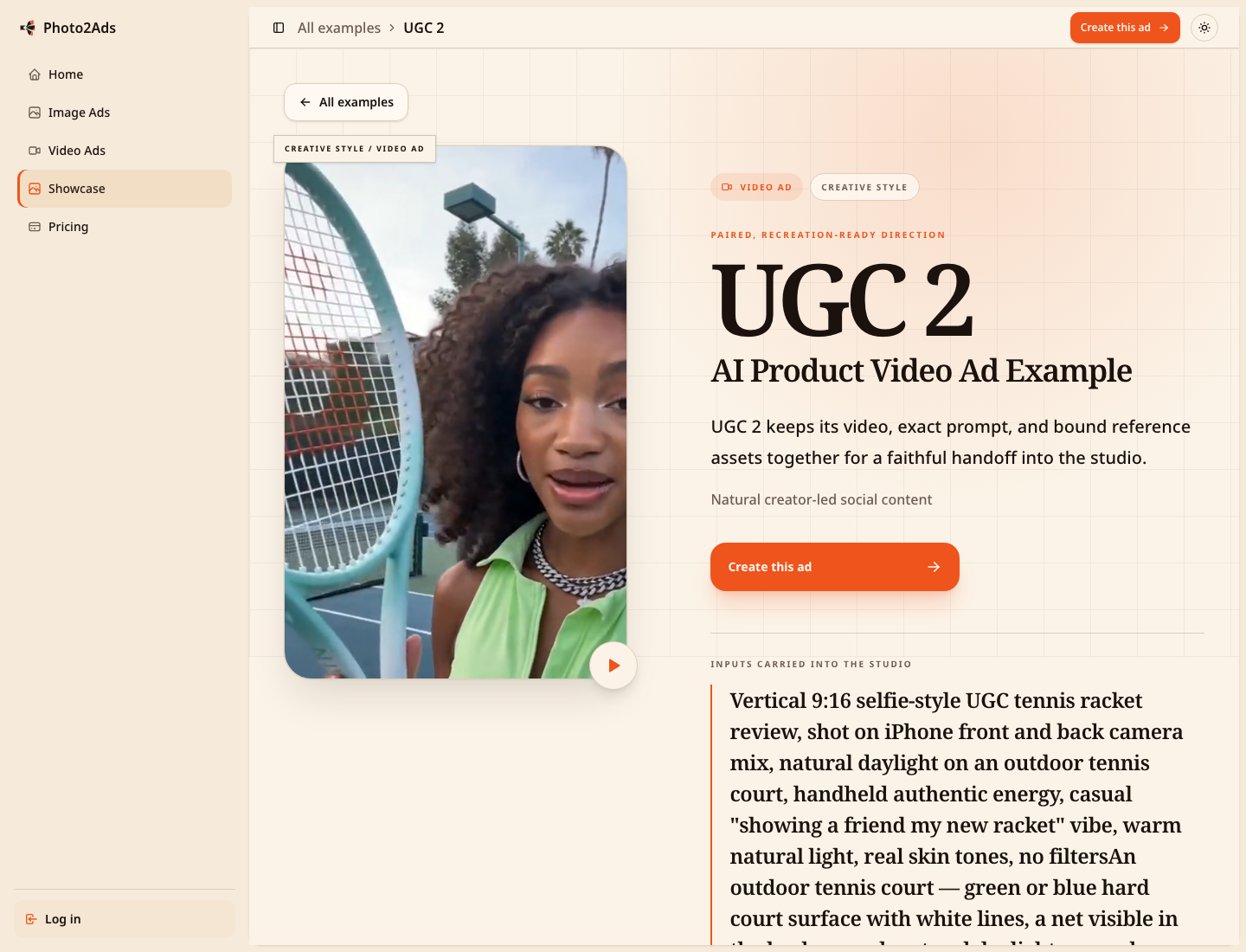
This is also a more honest way to present an AI product. It does not suggest that every polished result appeared from a magic button. It exposes the creative ingredients that shaped the output.
What Photo2Ads can and cannot solve
Photo2Ads cannot decide a brand's positioning, prove a marketing claim, or predict which ad will win.
It cannot transform a poor product photo into reliable brand truth. It cannot replace a review of labels, faces, hands, movement, product accuracy, or legal claims.
What it can do is reduce the distance between one product photo and several creative directions worth reviewing.
For a founder or ecommerce marketer, that creates more room to explore ideas before committing to a full production workflow. For a creative team, it creates a clearer handoff because the reference, direction, format, and result stay together.
Creative tools should remember
The first generation of AI creative tools focused on what a model could produce.
The next generation should focus on whether people can build repeatable workflows around those outputs.
Can the product remain recognizable?
Can a user understand how a result was created?
Can a useful example become the starting point for a new campaign?
Can a product move from an image concept into video without losing its source material?
Those are the questions behind Photo2Ads.
Small teams do not need another blank prompt that forgets its inputs. They need a creative system that remembers the product.
You can explore the live workbench and real examples at photo2ads.com.
If you create product ads, I would be interested to hear where your current workflow breaks—and what information your tools keep forcing you to enter again.