Using Claude Skills with Steem to Make Complicated Markdown Simple
In my last couple wildlife posts for Steem, I mentioned that I have started using a skill with Claude for formatting the markdown tables with the photographs. I would imagine that this tool could be useful for other authors, so today I thought I would zoom in and show how it works. So let's take a look....
Using a Claude skill to create markdown
Suppose I want to format these two photos into one of my now-standardized markdown tables (see here for example):
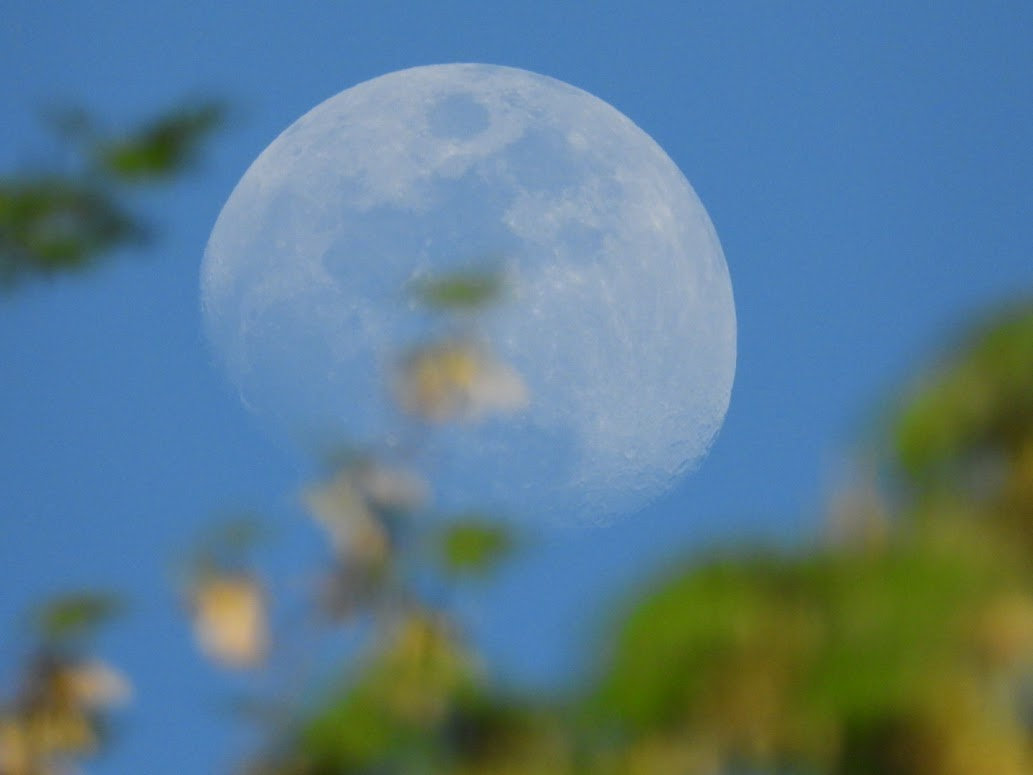 | 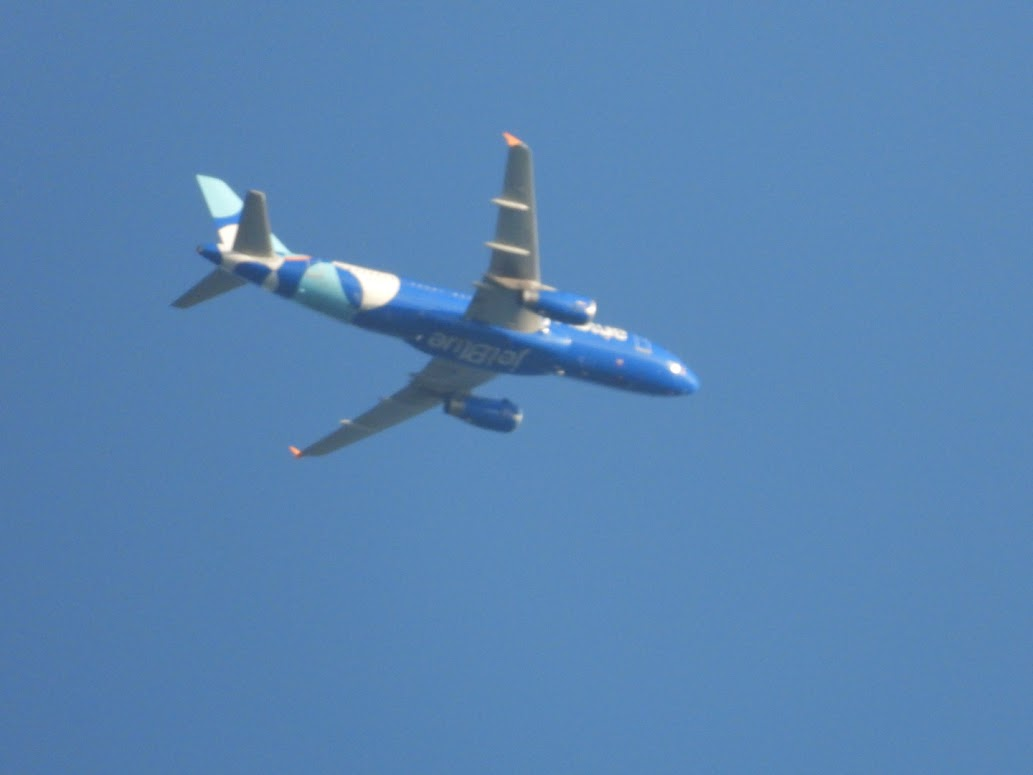 |
|---|
Here's how I would do it.
1. Collect the photos and camera settings
First, for each photo I would do the following:
- Type the date (and optionally the sex of an animal, Male/Female)
- Paste the photo from Google Photos
- Copy the camera settings from Google Photos
- Optionally, add info about photo edits that were applied
I have used it to build tables with up to 10 pictures, and I'd guess it could probably go much higher.
So I would have a block of text in my Steem blog post that looks like this:
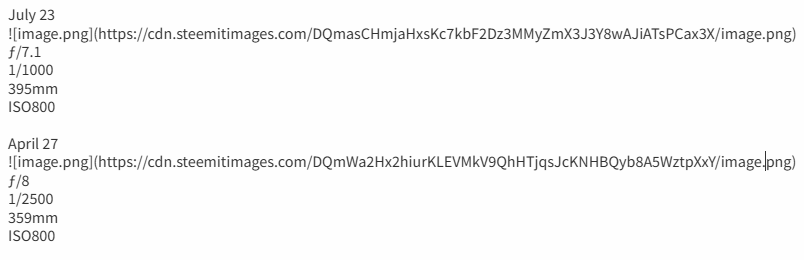
2. Execute Claude's skill on the text
In my chat session with Claude, I'd enter the skill name (preceded by a "/") and then copy that text from my Steem post into Claude.
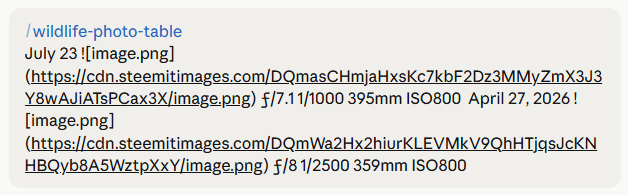
3. Claude generates the markdown for me
- Before generating the markdown, Claude also converts my camera's focal length to the equivalent 35mm value, and it calculates the zoom factor.
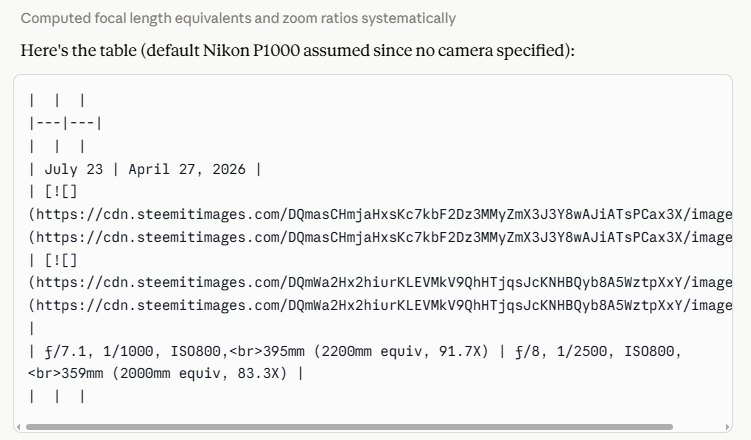
4. In my Steem blog post, I replace the original text with the fully-formed markdown table.
Here's what the final result looks like.
| July 23 | April 27 |
| |
| ƒ/7.1, 1/1000, ISO800, 395mm (2200mm equiv, 91.7X) | ƒ/8, 1/2500, ISO800, 359mm (2000mm equiv, 83.3X) |
And I didn't have to write a single character of the table's formatting or calculate any of the converted camera settings.
This skill is built for easy use with photos and camera settings from Google Photos, but any sort of data source could be accommodated. For example, a cooking blog might want to standardize ingredients lists, a travel blog might want to standardize GPS coordinates, or another photographer might be copying camera settings from flickr.
If you're following along, this is the point where you'll object, "but my Claude doesn't have this wildlife-photo-table skill." And you're correct. It's something very specific to my blog posts, and other authors probably don't need it. Just in case anyone is interested, I'll see if I can paste it as an appendix, but first let's look at how you can create your own custom skill for whatever need you have.
Creating a Claude skill.
Stripping away the details of the code blocks above and the specific use for wildlife photos, creating the skill is actually straightforward.
You don't need any special prompting ability. You just need to know what data to input, how you want to transform it, and what you want the output to look like. If you know that, there are just 3 steps to creating the skill:
1. Do a repetitive task a few times by interacting with the AI, until you get the output you want in a reliable way.
For example, many of my blog posts used AI to create the markdown tables before I created the skills. It was when I noticed I was giving it the same instructions time after time after time that I decided to learn how to make it into a skill.
2. Tell the AI to save it as a skill.
Easy as pie. When you get to the version that satisfies you, tell the AI to save it as a skill, and give the skill a name. In my case, the skill name is wildlife-photo-table.
3. Voila
In the future, you don't need to give it those repetitive instructions. Just give the AI the data it needs and ask it perform the skill.
Conclusion
So, as an author, do you have any markdown that you find yourself reconstructing time after time for your Steem blog posts? If so, maybe check out Claude skills, and save yourself some effort.
Appendix
Here's the Claude skill, but remember, I didn't have to write any of this. I just iterated with Claude until the process was repeatable, then Claude defined the skill for itself.
---
name: wildlife-photo-table
description: Build a markdown "photo gallery" table for blog posts (e.g. Blogspot/Steem wildlife posts) from a list of photos with date, optional sex/subject label, image URL, and camera settings (aperture, shutter speed, focal length, ISO, optional editing notes). Two photos per row, side by side, with camera settings converted from Nikon P1000 actual focal length to 35mm-equivalent mm and zoom multiplier (e.g. "125X"). Use this whenever the user provides a batch of dated wildlife/bird photos with EXIF-style settings and wants them turned into a paste-ready markdown table, or explicitly asks to run the "photo table" or "wildlife photo table" skill.
---Wildlife Photo Table
Turns a list of dated photos (with optional subject/sex label, image URL, and camera
settings) into a single markdown table formatted for pasting into a blog post
(Blogspot/Steem style), two photos per row.Input format
Expect the user to paste entries in roughly this shape, one per photo:
<Date> / <optional label, e.g. Male / Female / Male & Female>

ƒ/<aperture>
<shutter speed>
<focal length>mm
ISO<value>
<optional editing note, e.g. "Lighting adjusted in Google Photos">The label line and the editing-note line are both optional — many entries will
just have a date, an image, and the four core settings (aperture/shutter/focal
length/ISO). Don't invent a label or note if one wasn't given.If the camera model isn't stated, ask the user which camera was used (needed for the
focal-length conversion below) — default assumption is the Nikon Coolpix P1000 since
that's the user's primary camera, but confirm if it's ambiguous (e.g. they mention the
B500 instead).Focal length conversion
Convert the actual (physical) focal length reported by the camera into:
- 35mm-equivalent focal length, using the camera's crop factor.
- Zoom multiplier ("X"), i.e. equivalent focal length ÷ the camera's
wide-end equivalent focal length.Camera reference values:
Nikon Coolpix P1000: actual 4.3–539mm, equivalent 24–3000mm, crop factor ~5.57x
Nikon Coolpix B500: actual 4.3–172mm, equivalent 22.5–900mm, crop factor ~5.23xFormulas:
- equivalent_mm = actual_mm × crop_factor (round to nearest whole mm)
- zoom_x = equivalent_mm ÷ wide_end_equivalent_mm (P1000: divide by 24; B500: divide
by 22.5), rounded to 1 decimal placeOutput format
Produce one continuous markdown table (no blank lines between rows). Structure:
- Header row: two empty cells
- Separator row
- Empty row
- Then for each pair of photos, four rows:
- Row A: date/label for each photo
- Row B: the two images, side by side
- Row C: camera settings as a single string per cell
- Row D: empty row (visual gap)
- If there's an odd number of photos, the final pair's second column is left blank.
Workflow
- Parse each photo entry (date, optional label, image URL, aperture, shutter
speed, focal length, ISO, optional note).- Convert focal length per the table above.
- Pair photos in the order given, two per row.
- Emit the full table as a single block so it's ready to copy and paste.
- If anything is ambiguous or missing, flag it rather than silently guessing.
Thank you for your attention!
Unless otherwise specified in the text, all photos above were taken by me with a (hand held) Nikon P1000 camera. I'm sharing them under the CC BY 4.0 license (share & adapt freely with attribution to the original source).